> ## Documentation Index
> Fetch the complete documentation index at: https://docs.allgoodhq.com/llms.txt
> Use this file to discover all available pages before exploring further.
# Tokenize Your Emails
## Creating Program Tokens
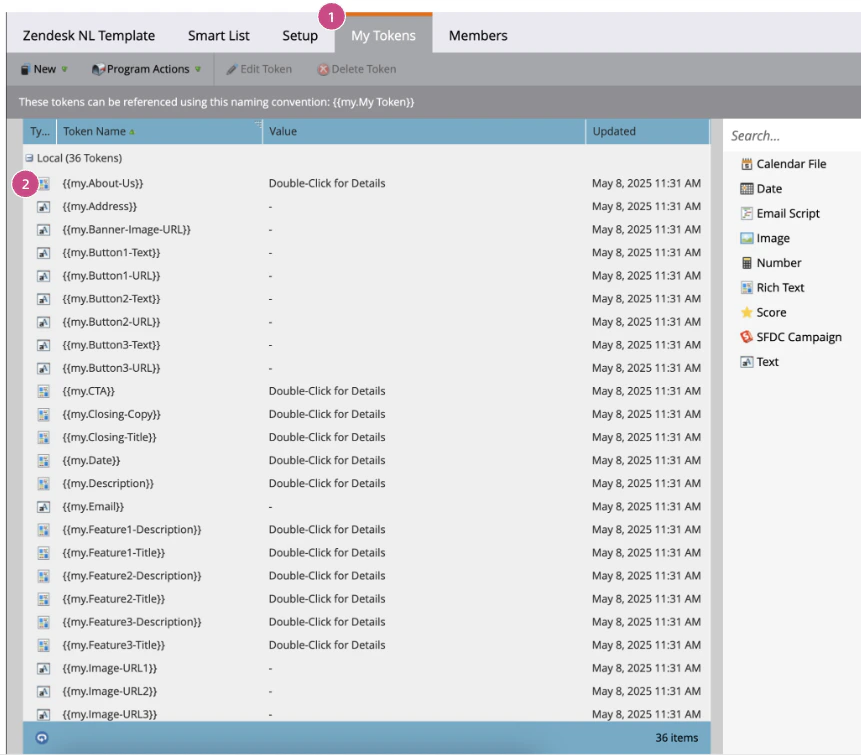
1. Navigate to the **My Tokens** tab in your template program
2. Create your tokens. Any text you would like formatted from your briefing doc needs to be a **Rich Text token** type and any URL or Image must be a standard **Text token** type.
**NOTE:** Other token types are not supported.
 **NOTE**
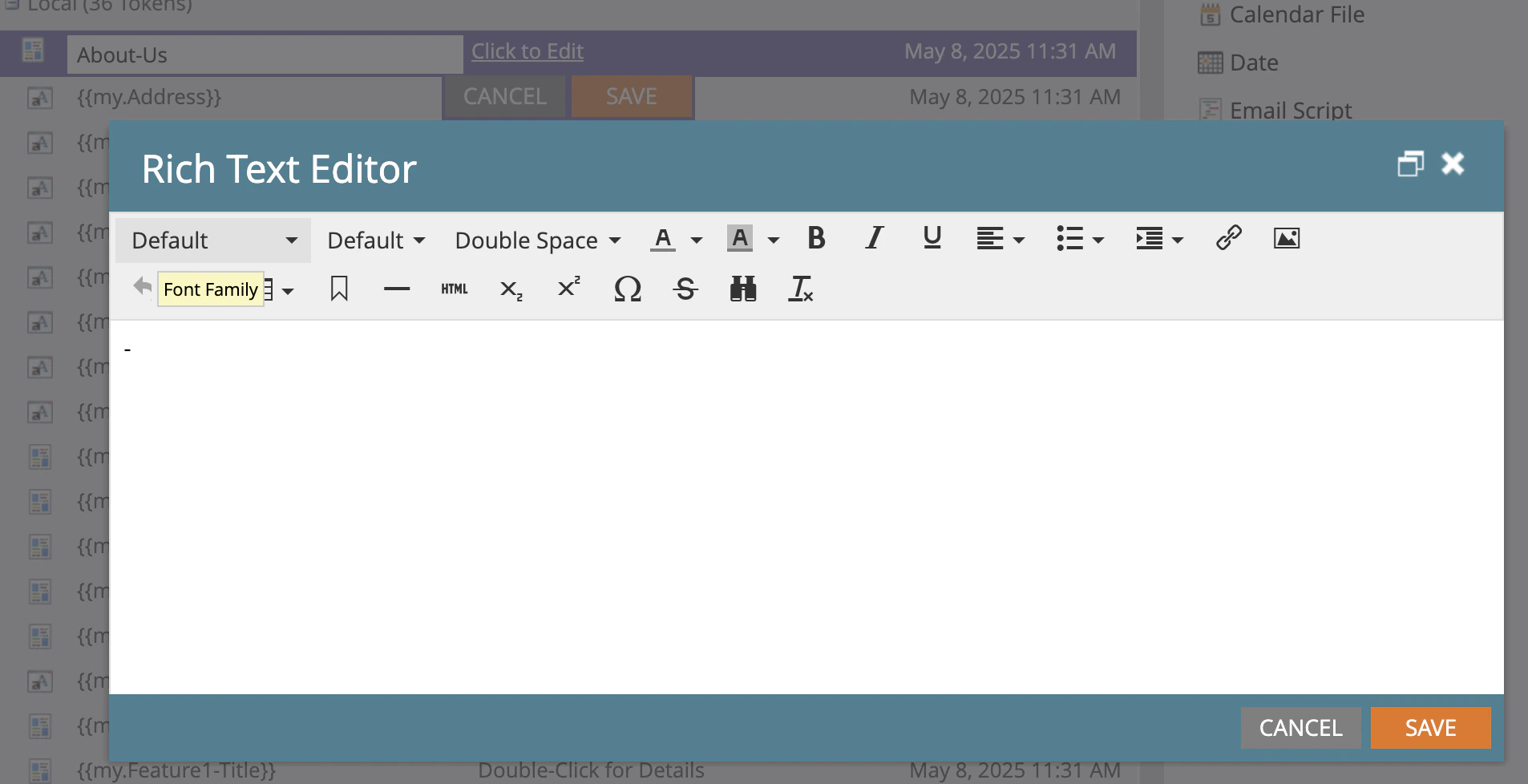
* Marketo will not let you save your tokens with empty values.
* Please input some filler text as a dummy value to save and close your tokens. Mary will overwrite these filler values. (a simple dash does the job)
**NOTE**
* Marketo will not let you save your tokens with empty values.
* Please input some filler text as a dummy value to save and close your tokens. Mary will overwrite these filler values. (a simple dash does the job)
 # Tokens to your Email(s)
## Insert Tokens
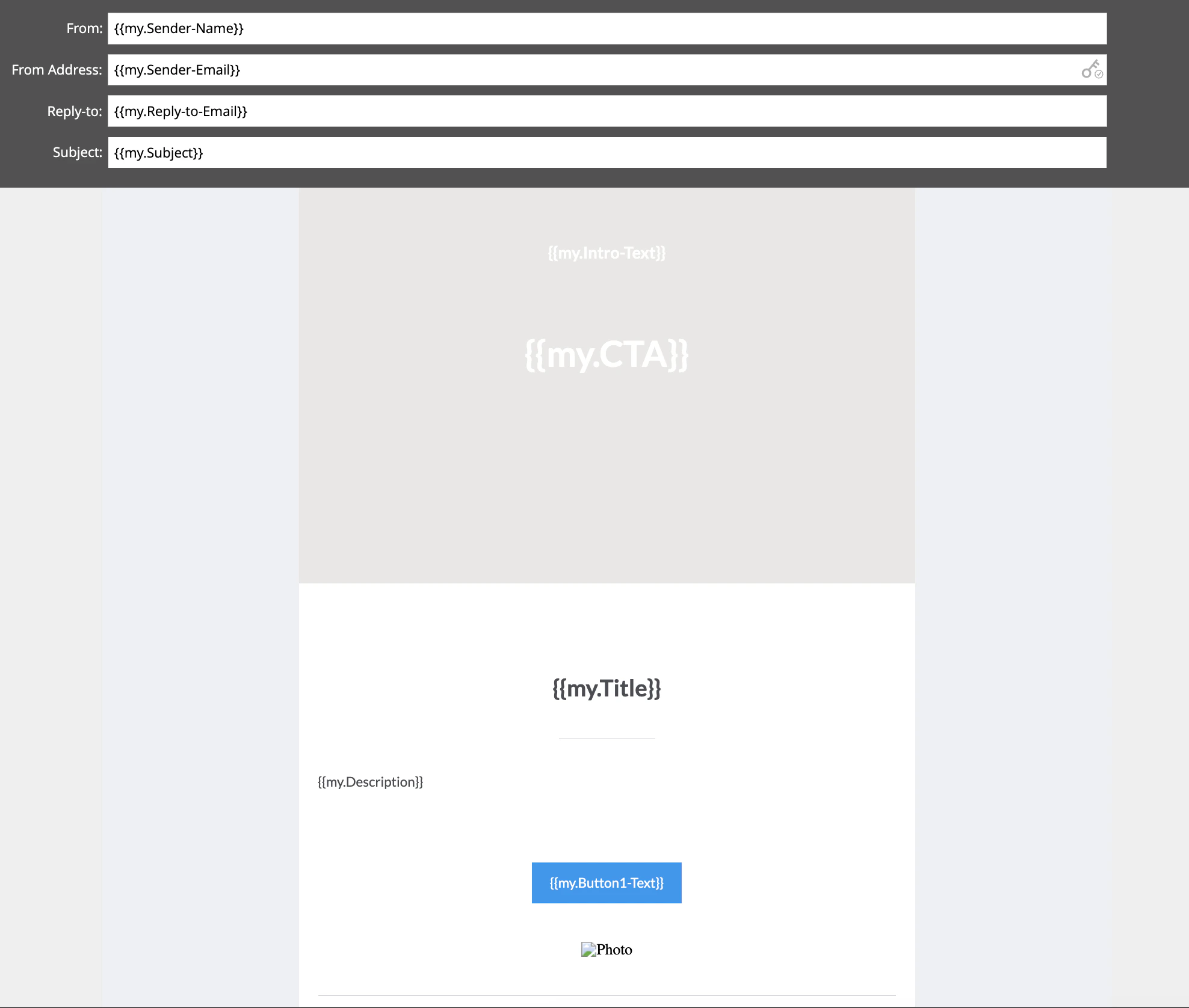
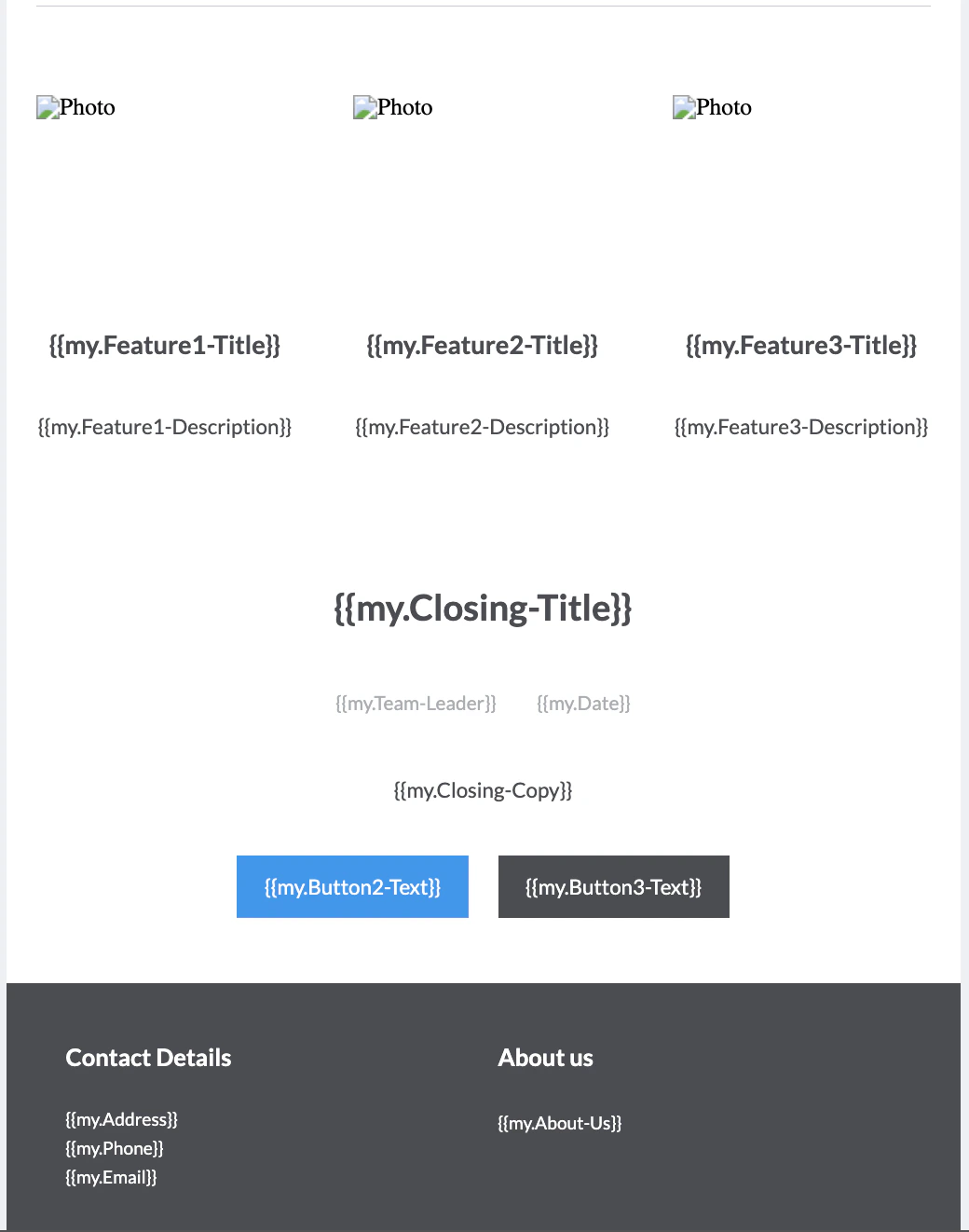
* Add each of your tokens where you’d like Mary to populate the content.
# Tokens to your Email(s)
## Insert Tokens
* Add each of your tokens where you’d like Mary to populate the content.
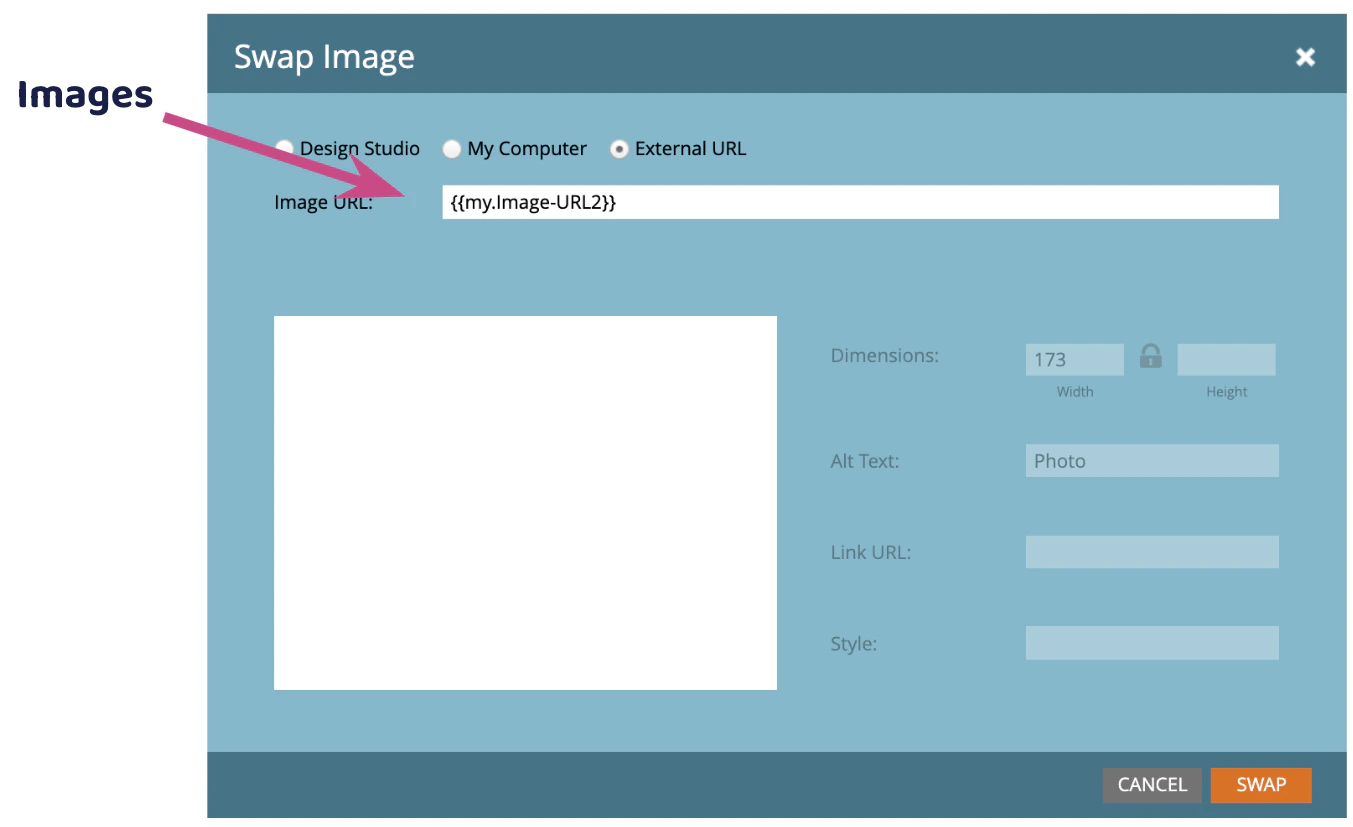
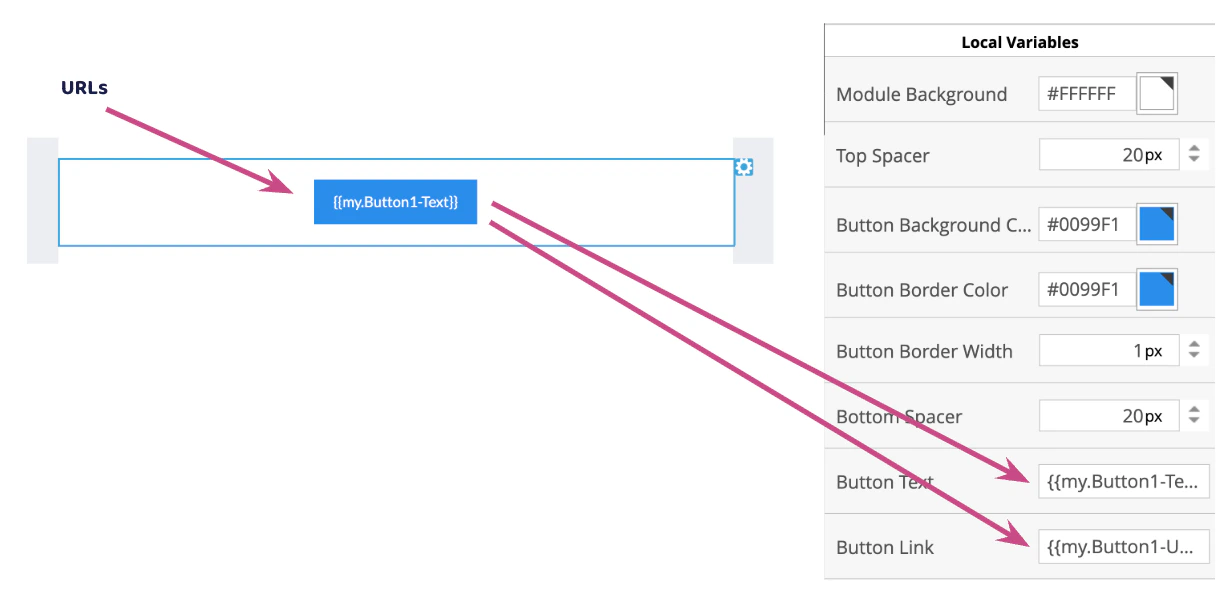
 ## Image and URL tokens must be placed directly in modules
**NOTE**
To tell Mary to process the image properly, make sure to have “**image-URL**” in the name of the tokens explicitly, for example
* Header-image-URL
* Banner-image-URL
* Footer-image-URL
## Image and URL tokens must be placed directly in modules
**NOTE**
To tell Mary to process the image properly, make sure to have “**image-URL**” in the name of the tokens explicitly, for example
* Header-image-URL
* Banner-image-URL
* Footer-image-URL
 ## Preheader
Preheader is unsupported with tokens from Marketo ([https://experienceleague.adobe.com/en/docs/marketo/using/product-docs/email-marketing/general/email-editor-2/email-editor-v2-0-overview](https://experienceleague.adobe.com/en/docs/marketo/using/product-docs/email-marketing/general/email-editor-2/email-editor-v2-0-overview))
Mary only supports Preheader with static content. Learn more about it on [Feature: Update Preheader](./feature-update-preheader.mdx)
## Preheader
Preheader is unsupported with tokens from Marketo ([https://experienceleague.adobe.com/en/docs/marketo/using/product-docs/email-marketing/general/email-editor-2/email-editor-v2-0-overview](https://experienceleague.adobe.com/en/docs/marketo/using/product-docs/email-marketing/general/email-editor-2/email-editor-v2-0-overview))
Mary only supports Preheader with static content. Learn more about it on [Feature: Update Preheader](./feature-update-preheader.mdx)
