> ## Documentation Index
> Fetch the complete documentation index at: https://docs.allgoodhq.com/llms.txt
> Use this file to discover all available pages before exploring further.
# Migrating from Drift
> Connect your Drift (SiftRock) account to allGood and start your email-reply management migration.
This guide walks you through connecting your Drift (SiftRock) account to allGood and starting your migration. It takes just a few minutes.
**Before you start**—you'll need the following:
* Your **Drift username (email) and password** — the same ones you use to sign in at `email.drift.com`.
* Access to allGood **Settings** with admin permissions.
## Migration steps
In allGood, go to **Settings** and select the **Integrations** tab.
Under **Advanced integrations**, locate the **Drift** integration.
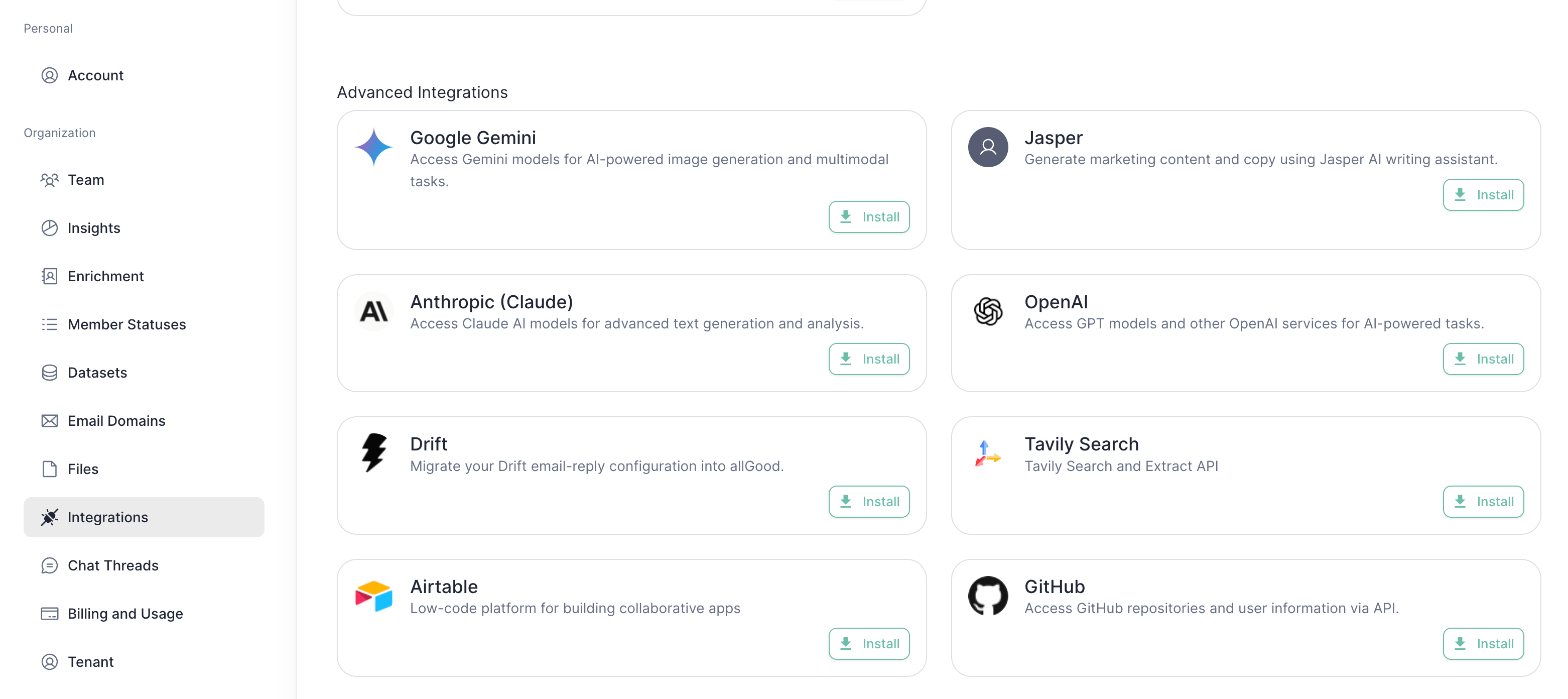 Open the Drift integration and enter your **Drift username (email)** and **password**, then click **Create integration**.
Your credentials are stored securely (encrypted) and are used only to read your Drift configuration.
Open the Drift integration and enter your **Drift username (email)** and **password**, then click **Create integration**.
Your credentials are stored securely (encrypted) and are used only to read your Drift configuration.
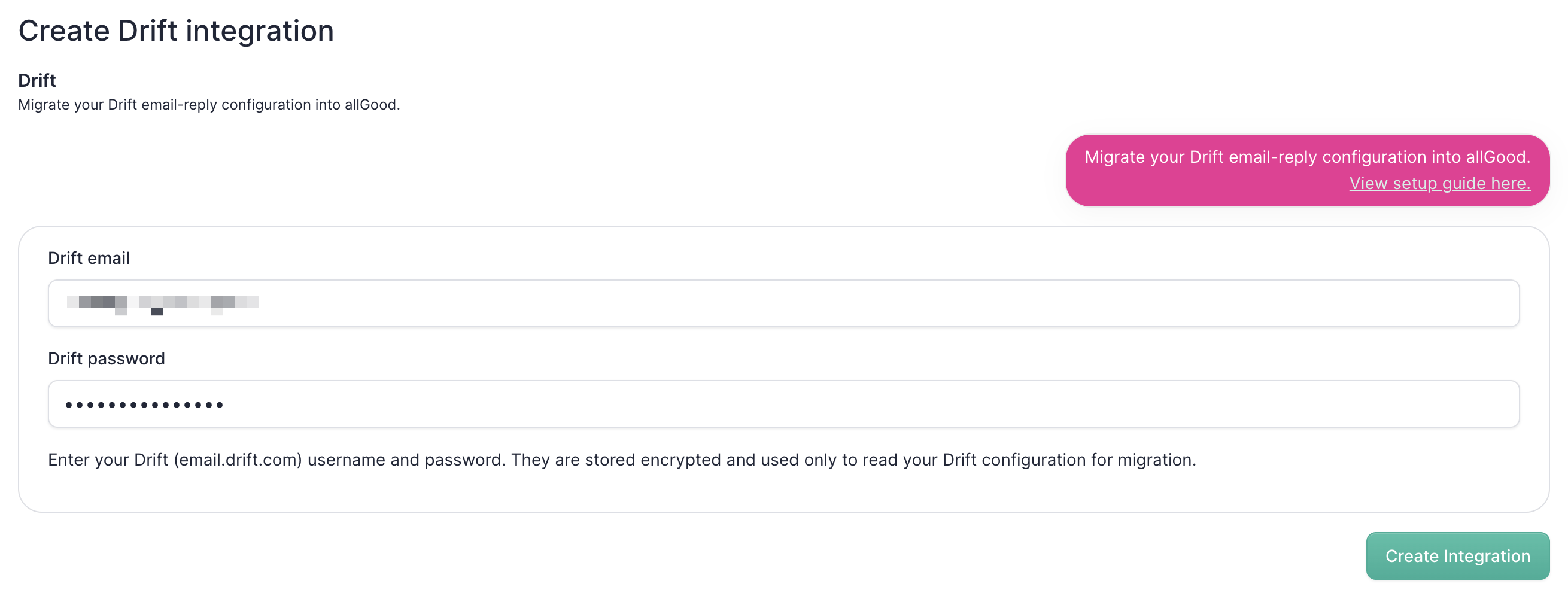 Wait for the confirmation that the **integration is connected**.
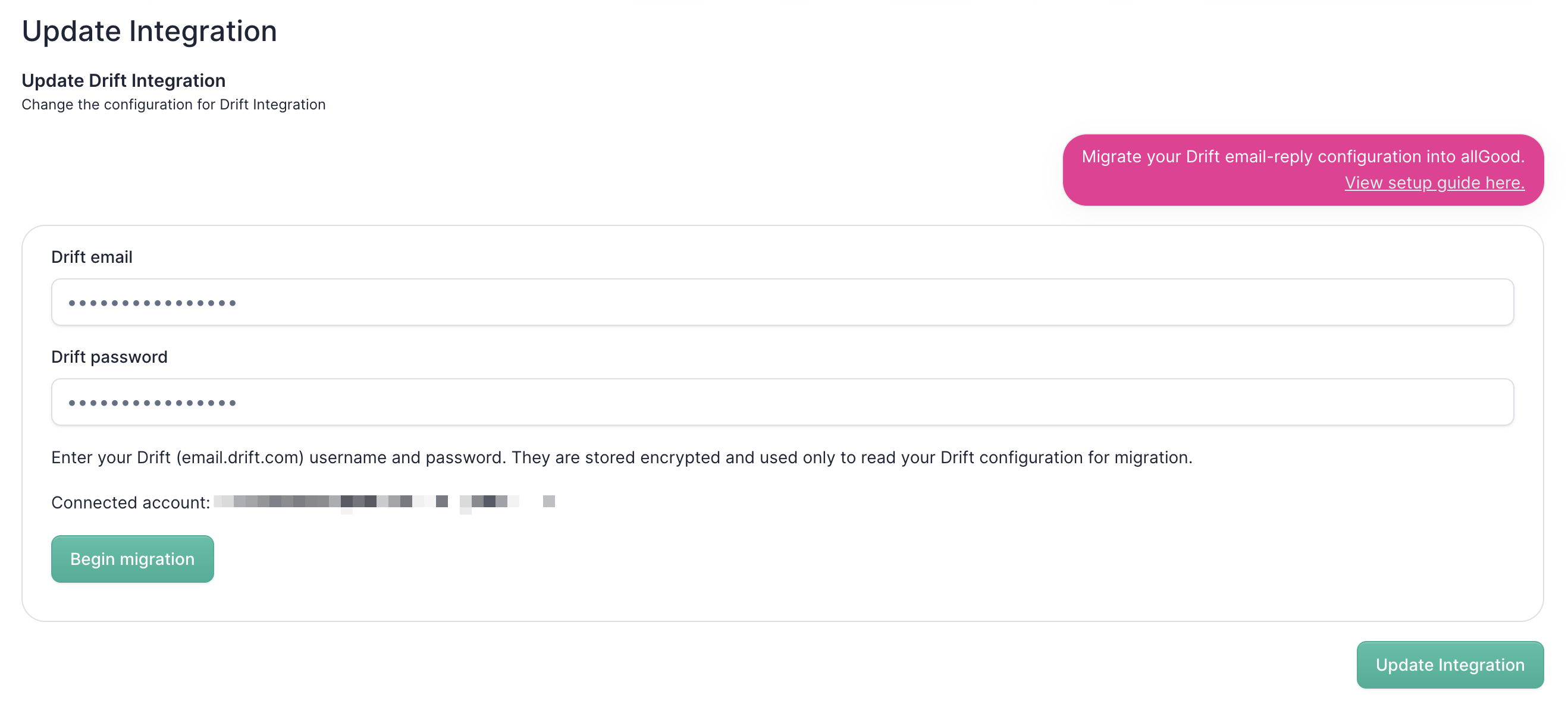
Back in **Settings → Integrations**, find the **Drift** integration again and click **Edit settings**. Then click **Begin migration**.
allGood will start pulling your Drift configuration. This can take a moment — you'll see a "Fetching your Drift configuration…" message while it runs.
Wait for the confirmation that the **integration is connected**.
Back in **Settings → Integrations**, find the **Drift** integration again and click **Edit settings**. Then click **Begin migration**.
allGood will start pulling your Drift configuration. This can take a moment — you'll see a "Fetching your Drift configuration…" message while it runs.
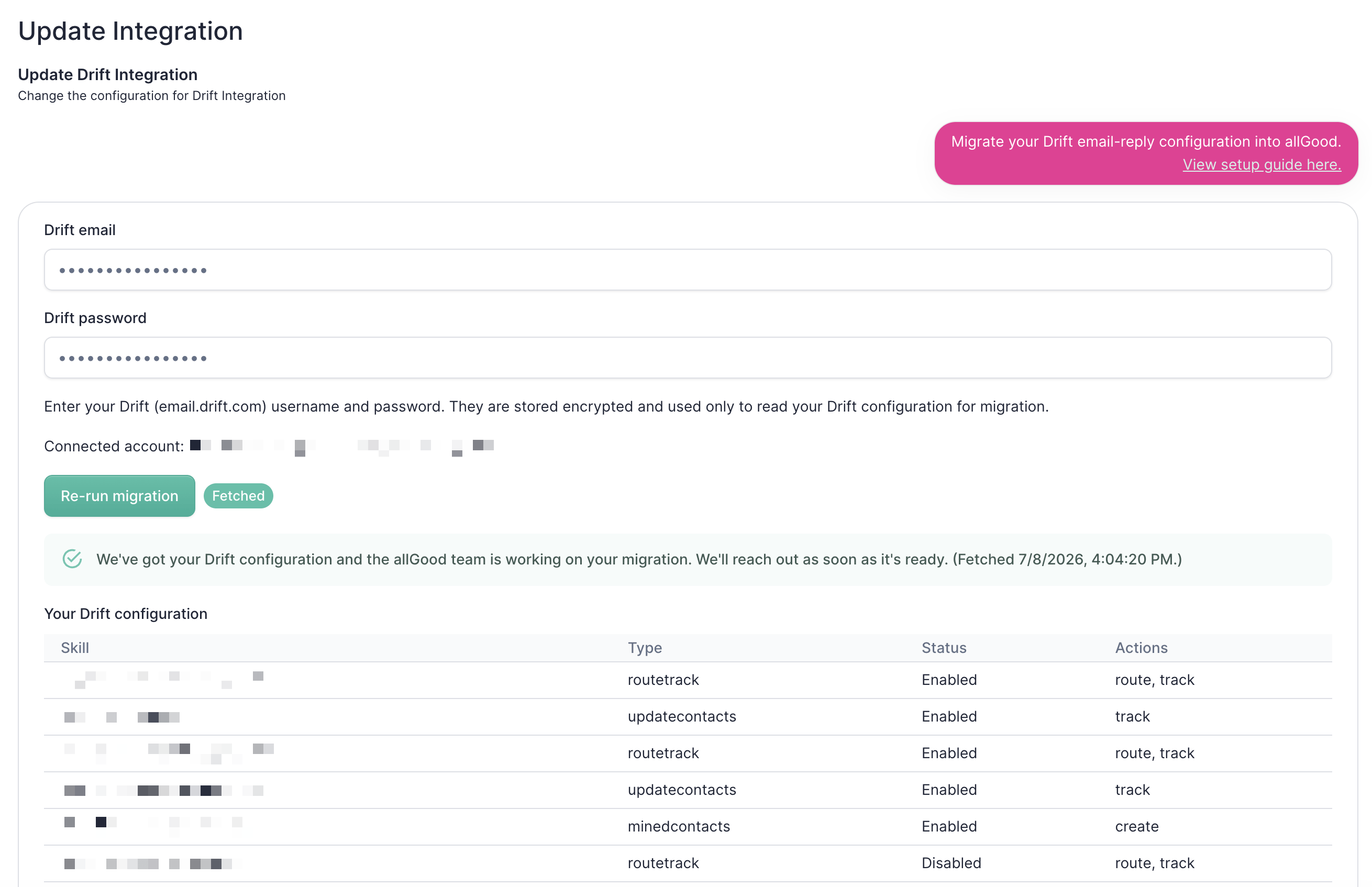
 When the migration finishes, you'll see a **summary of your Drift instance** — including your configured skills and what each one does.
 Once you've completed these steps, **let the allGood team know**. We'll take it from there and reach back out to finish your migration.
**Questions or something not working?** Reach out to the allGood team and we'll help you through it.
Once you've completed these steps, **let the allGood team know**. We'll take it from there and reach back out to finish your migration.
**Questions or something not working?** Reach out to the allGood team and we'll help you through it.