

Submitting a request
You can submit a request via the page under Settings > Data Privacy. It is an Admin only view.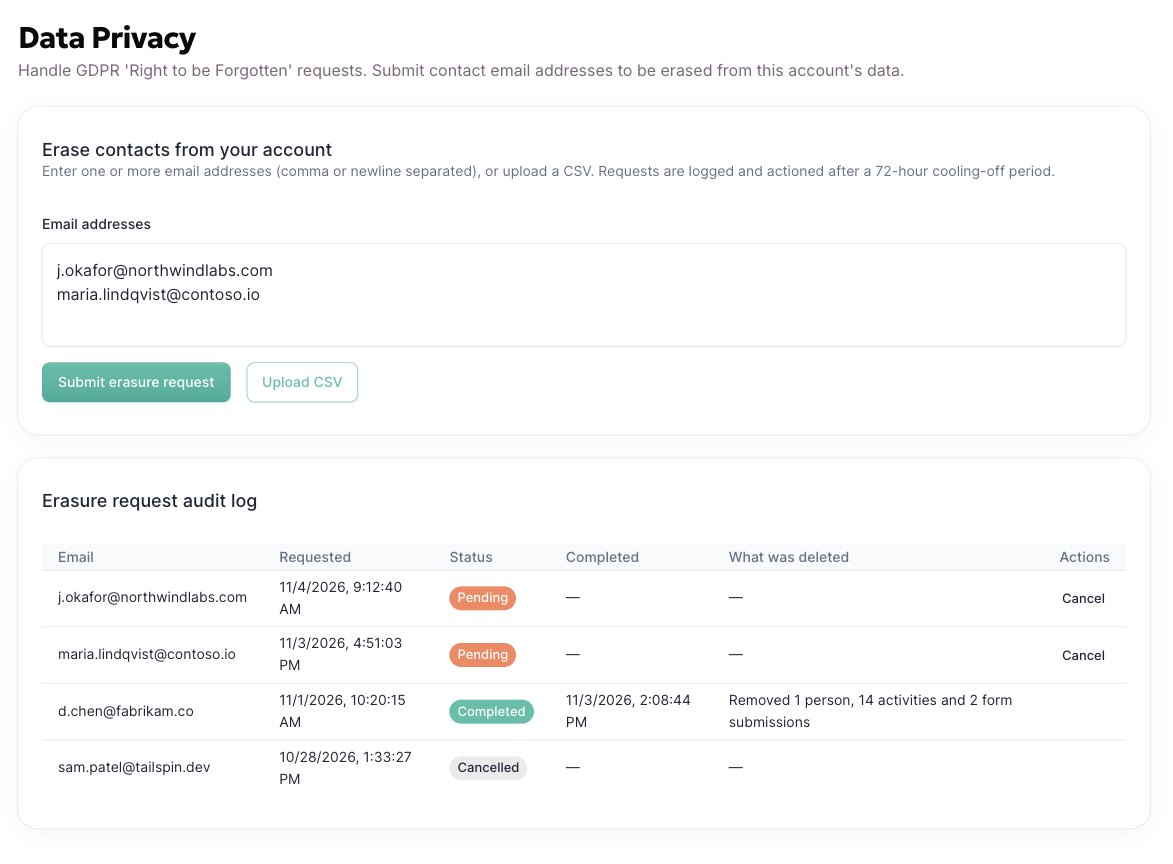
1
Enter the email addresses
One or more, separated by commas or new lines. For a batch, upload a CSV instead. Addresses are trimmed, lower-cased and de-duplicated.
2
Submit
Each address becomes its own request with a status of Pending. If you submitted the wrong address, cancel it from the log.
3
Track it in the log
The log beneath the form lists every request, newest first, with who submitted it, how, and its current status.
The request response window
Every request will be completed and logged within 72 hours.Statuses
Questions? Reach out to support@allgoodhq.com.