

Prerequisites
- Access to the Landing Page settings page
- A subdomain already registered on Web Edge Sessions — until one is active, there’s no default subdomain for this page to reference
Hosting
The Hosting card shows your Default subdomain — for example,demo.allgoodhq.net. This field is read-only here; it’s managed on Web Edge Sessions, and shown on this page for reference. Every landing page you publish is served at {subdomain}/{slug}, so the slug you give a page determines its URL under that subdomain.
Control what search engines see
The Indexing card’s Robots posture setting tells search engines whether your live landing pages should show up in search results. allGood applies your choice as theX-Robots-Tag header on every live page. That means it takes effect without you touching a single page’s code.
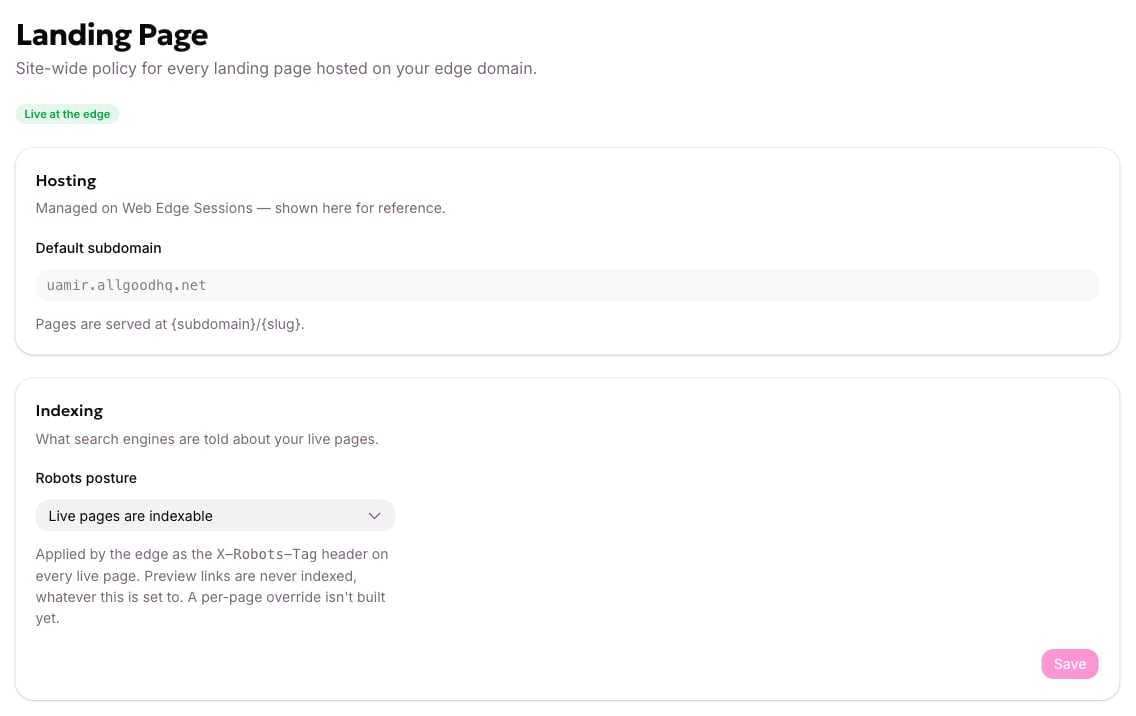
The Landing Page settings, with the robots posture.
1
Open Landing Page settings
Open Landing Page in your account settings.
2
Choose your Robots posture
Under Indexing, open Robots posture and choose the option that matches whether you want your live landing pages found in search results.
3
Save your changes
Click Save.
Preview links are never indexed, no matter what Robots posture is set to. This setting only affects pages that are live. A per-page override isn’t available yet — one posture applies to every landing page on your domain.
X-Robots-Tag header reflects it right away, and a new entry appears in your change history below.
Review your change history
The Change history card keeps every save you’ve made to this page. The most recent one is the value currently in use. Before you’ve changed anything, it shows No changes yet — these settings are still at their defaults. Use it to confirm what a policy used to be, or when it last changed, without asking around.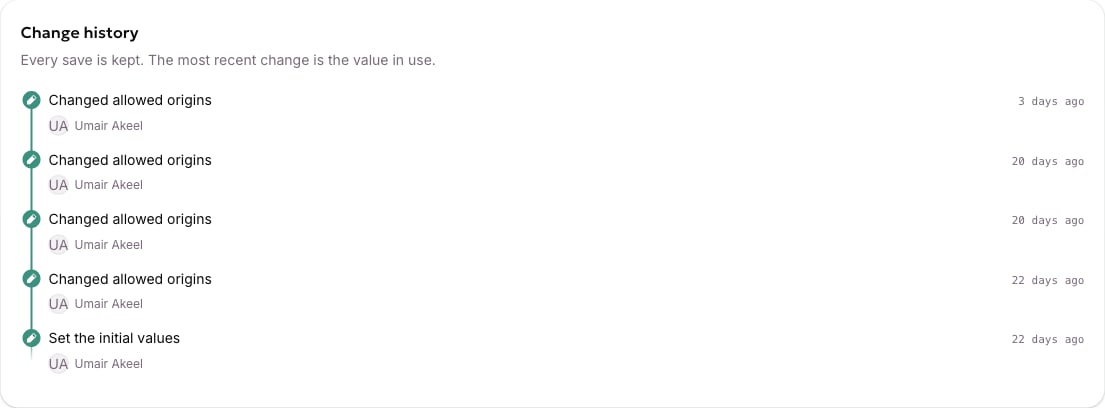
The change history at the bottom of a settings screen.
Related articles
- Set up Web Edge Sessions for your site
- Web Edge FAQ
- Create a landing page (TBD)
- Need the page-config API or slug-routing internals? See the developer reference: Landing page settings