Every settings screen in this section follows the same pattern. You press Save, allGood stores the value, and then it pushes a copy out to the network that actually enforces it. Those are two different moments, and the gap between them explains a lot of confusion.
Just need the settings-level version of this pattern? Set up Web Tracking on your site covers the same status chip in plain terms.

The status chip

Every settings screen and every published asset carries one. For a removal — unregistering a form, unpublishing a page — the same states read Removing…, Removed from the edge and Removal failed.

The status chip reading Live at the edge

The status chip reading Live at the edge.

How long it takes

Tens of seconds, with about a minute as the practical ceiling. The chip doesn’t claim “live” until a read-back confirms it, so it’s trustworthy rather than optimistic.
Between pressing Save and the chip turning green, the old setting is still the one being enforced. This is the explanation for almost every “I changed it and nothing happened” report. Wait for green, then retest.

One setting moves the chip on other screens

Your account’s settings travel as a single bundle, so a capture request costs one lookup rather than several. A consequence worth knowing: saving on Consent Provider moves the chip on Form Processing too. They’re the same underlying record, and nothing is wrong.

Change history

Every settings screen has a change history at the bottom recording who changed what, and when. It’s append-only.
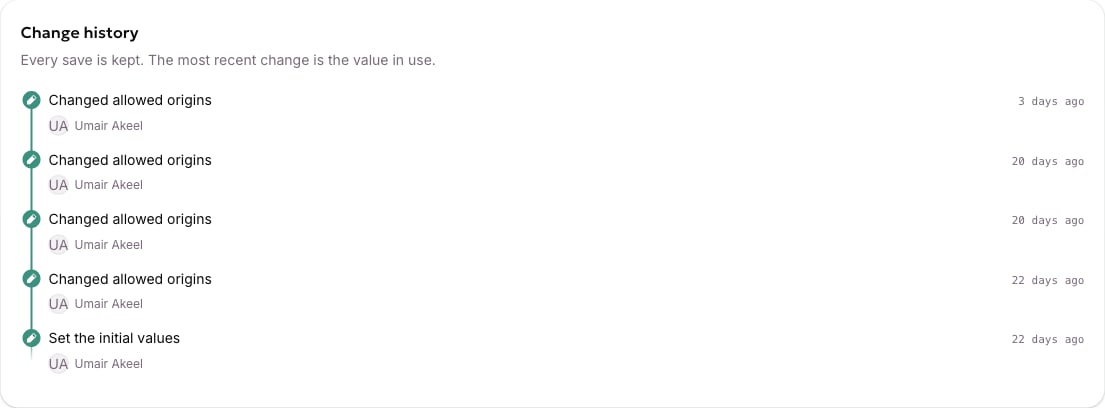
The change history at the bottom of a settings screen

The change history at the bottom of a settings screen.

If something looks stuck

A failed push is retried automatically, and a scheduled sweep re-checks values and repairs any that have drifted. If a chip has been amber for more than a few minutes, that’s worth raising with support@allgoodhq.com — there are admin tools that can rebuild an account’s edge configuration on demand.