A component is one reusable, approved piece of an email, such as a hero, a two-column offer row, a footer, or a divider. It’s stored as a small file in MJML, the email-building language allGood uses, in your organization’s own library, with a plain-language description of what it’s for. It’s the first of three layers in email, below email templates and individual emails. A component ships with real placeholder copy in it, meant to be edited directly. A template composes several components and adds the copy schema. An email is one layer up again: an actual message built from a template.
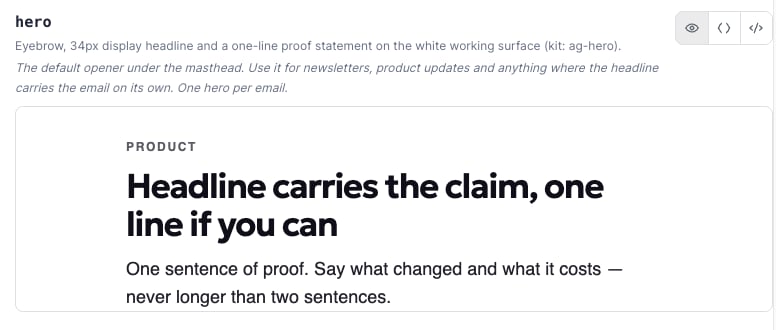
The hero component rendered: eyebrow, headline, and a one-line proof statement, exactly as it ships before anyone edits it.

The hero component rendered: eyebrow, headline, and a one-line proof statement, exactly as it ships before anyone edits it.

Every component documents its own edit boundary inline, as an ag: comment. EDIT covers copy, links, colors, and padding. LOCKED covers the element tree itself, and restructuring it is flagged by allGood’s checker everywhere the component is used. Because every component is pre-built and approved, allGood’s AI can also compose them per send without leaving your brand’s approved patterns.

Start here

Editing an email component

What you can safely change, in plain language. No code needed.

Setting up and reviewing components

The Workshop, History, and Assets walkthrough: editing, versioning, and rollback.

Write an email component

Structure a new component’s MJML and document its EDIT and LOCKED boundary.

Understand the format

What MJML is

The format components are written in, and why you rarely need to touch it.

For developers

How MJML compiles, plus comparisons with Marketo, HubL, and hand-coded HTML.
If a component isn’t rendering the way you’d expect, or a change doesn’t fit the EDIT and LOCKED boundaries, contact support@allgoodhq.com instead of working around it in the component’s markup.