allGood builds an email separately for each recipient, so parts of it stay blank until there is someone to build it for. Previewing as a real person shows you what that person would actually receive.

Preview as a person

Open the email and select Personalize above the preview. Search for someone in your database and pick them. The message re-renders with that person’s values merged in. No one shows the person tokens as written. This is where merge problems show up. A greeting that reads Hi , in preview will read the same way in the inbox.
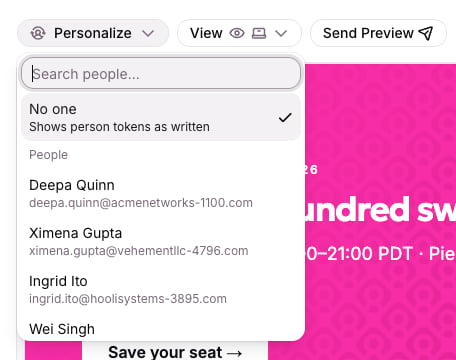
The Personalize menu open, with No one selected and a list of people to preview as

Personalize lets you pick a person from your database to preview as.
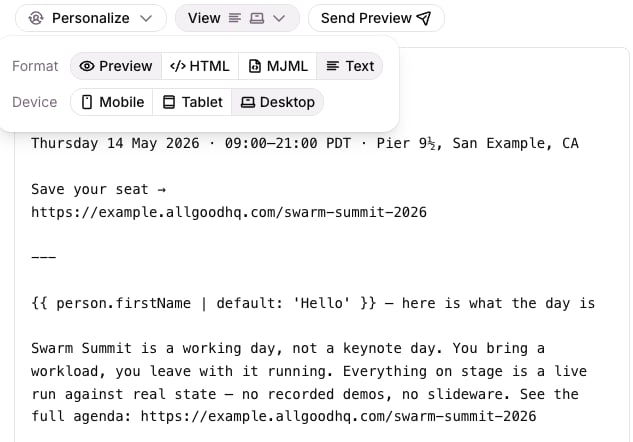
Use View next to it to change what you see. Format switches between Preview, HTML, MJML and Text, and Device switches between Mobile, Tablet and Desktop.
The View menu open, with Format options Preview, HTML, MJML and Text, and Device options Mobile, Tablet and Desktop

The View menu: pick the format and the device size.

Preview more than one person. Pick someone with every field filled in and someone with gaps, such as no first name.
Nothing checks that a merge field is spelled correctly or exists. A misspelled or invented field shows as blank, with no error. Preview is where you catch it.

Send yourself a test

Send a real message to a verified address and read it in an actual inbox. Previews are good, but nothing replaces seeing the email land. In the test, check:
  • the subject line and preheader
  • the greeting and any other merged fields
  • the unsubscribe link and postal address in the footer
  • how it looks on a phone
You have a finished test when the message reads correctly for a person with full data and one with gaps, and the footer links work.

What happens at send

Previews are forgiving because drafts are expected to be incomplete, so a missing reference shows as blank. At send time, allGood is stricter. If an email points at another asset it can’t find, such as its copy or an image, allGood stops the send. That protects you from shipping something broken, but it doesn’t catch a misspelled merge field. See Personalizing an email. If you get stuck, contact support@allgoodhq.com.