

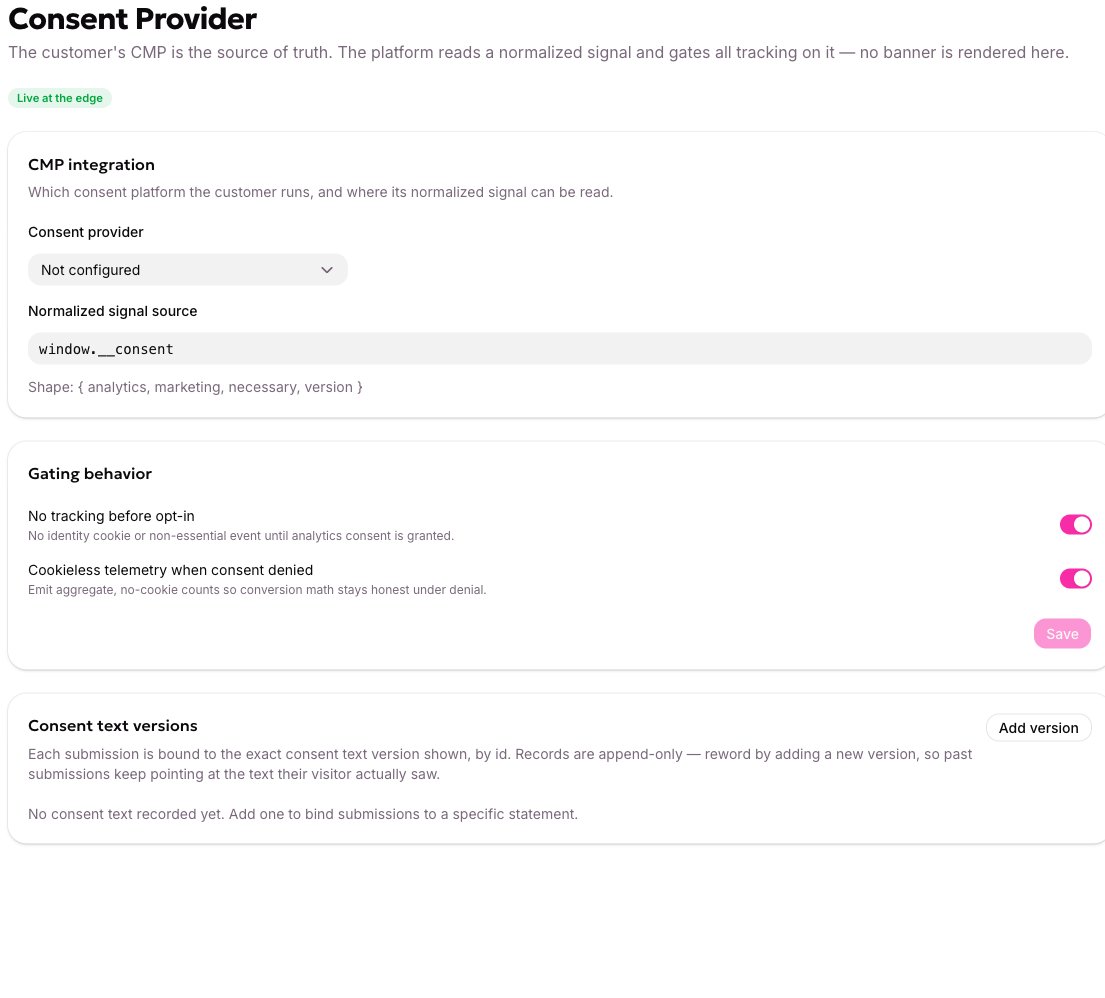
The Consent Provider settings, with the signal source and the gating behaviour.
Consent provider
A dropdown: Not configured, OneTrust, Cookiebot, or Custom. This is a label. It records which platform you run, so your team and support know. It doesn’t change any behaviour — the signal source below is what does.Normalized signal source
The JavaScript global the allGood script reads the visitor’s decision from. The default iswindow.__consent.
Your website is responsible for writing that value. The bridging snippets for OneTrust and Cookiebot are on What consent gates.
The value at that path can be either a plain true/false, or an object:
The full documented shape is
{ analytics, marketing, necessary, version }. Only analytics is read today; the others are accepted and ignored, so writing the whole object now is safe.
The script walks this path property by property from
window. window.__consent, __consent and window.myCmp.state.consent all work. Anything with a function call or an operator in it does not — the path is never run as code, which is what stops a settings field becoming a way to inject script onto every page carrying your tag.No tracking before opt-in
On by default, and the safe posture. On, the tag holds page views and events in memory instead of sending them, checks the signal a couple of times a second, and:- on granted, sends everything it held and carries on normally;
- on denied, throws the held events away and sends nothing more for that page load;
- if half a minute passes with no answer at all, drops what it held.
What is not gated on consent
Three things surprise people:- Form submissions are never refused for missing consent. A submission is an explicit act by the visitor, and form processing is a separate lawful basis from analytics consent.
- Serving a hosted allGood landing page records a page view and sets the identity cookie before anyone has consented. If a page must not do that in your jurisdiction, put it on your own site with the tag instead, where the gate does apply.
- A tracked email click still works and still seeds the cookie. It has to — the link has to go somewhere.
The identity cookie
Worth understanding here, because it’s what your privacy notice has to describe.Consent text versions
This is how you prove, later, exactly what wording somebody agreed to. Each record holds an id, a label, a version, and the exact statement shown to the visitor. A form is bound to one of them, and allGood stamps that id onto every accepted submission from its own records — if a submission tries to supply its own, allGood discards it and substitutes the real one. That’s what makes the record evidence rather than a claim.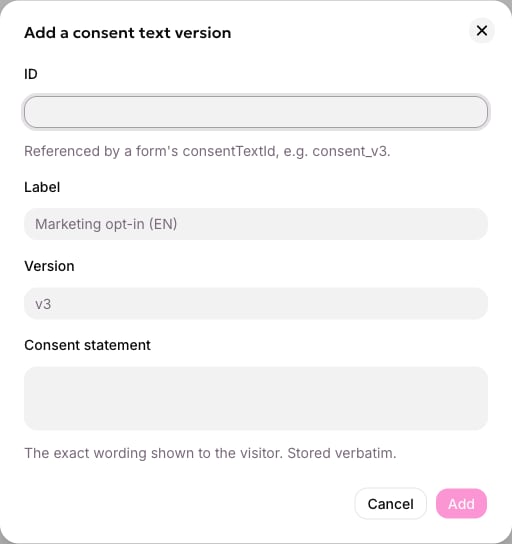
Adding a consent text version, with its id, label, version and the exact statement shown.