

Overview
Lead enrichment automatically fills missing contact information by finding data from LinkedIn, web searches, and third-party data providers. allGood’s enrichment system helps you complete incomplete lead records, validate existing data, and enhance your contact database for better campaign targeting.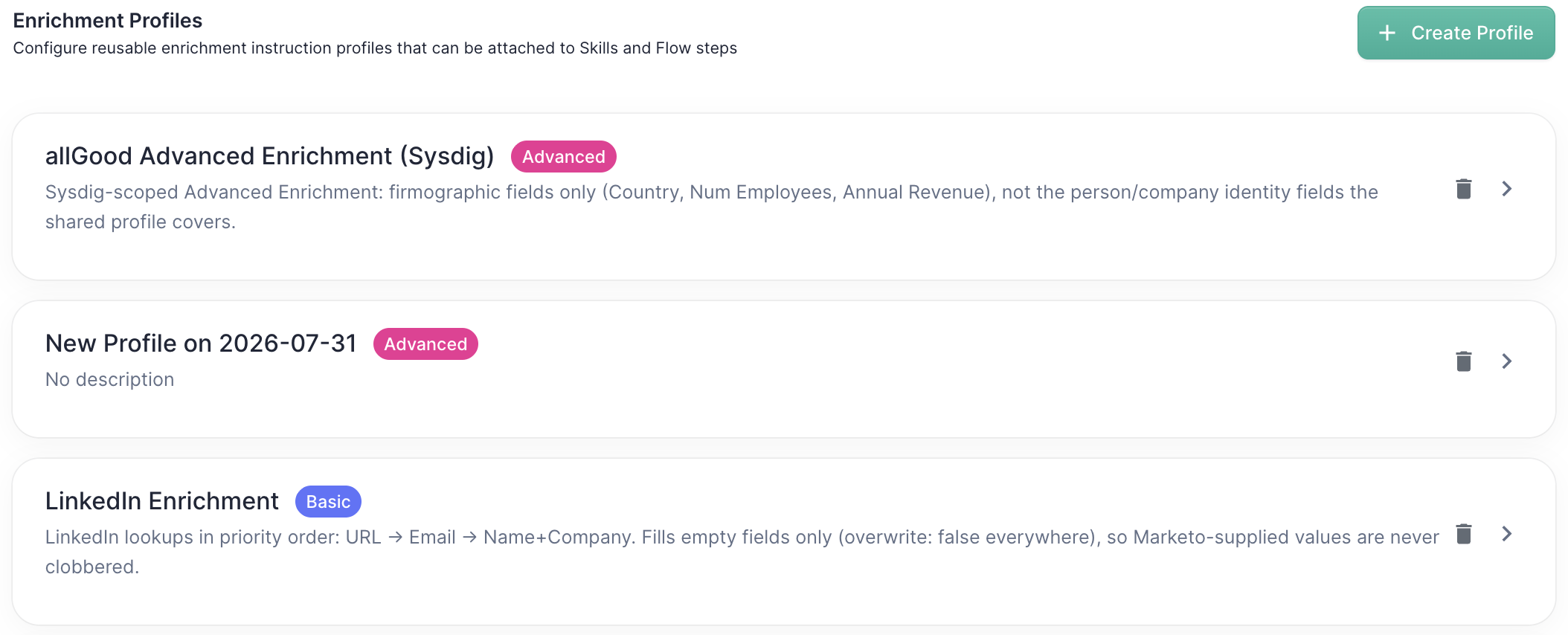
How It Works
Basic Enrichment Mode
Basic mode uses a single data provider to perform one lookup per lead. This approach is:- Cost-effective - Uses one provider per enrichment step
- Predictable - Clear data sourcing from a specific provider
- Configurable - Choose from providers like ZoomInfo, Clearbit, or LinkedIn
Advanced Enrichment Mode
Advanced mode uses allGood’s intelligent enrichment system that:- Searches LinkedIn first - Finds the lead’s LinkedIn profile through web search
- Uses multiple providers - Automatically tries different data sources to maximize hit rates
- Validates results - Ensures data accuracy by cross-referencing sources
- Finds professional contacts - Locates work emails and phone numbers when needed

Common Use Cases
Sequential Enrichment Strategy
Stack multiple enrichment steps to create a fallback strategy:- First step: Basic enrichment with ZoomInfo
- Second step: Advanced enrichment to fill remaining gaps
Event Lead Processing
After collecting leads from events or webinars:- Fill incomplete registrations - Many attendees provide minimal information
- Professional contact discovery - Find work emails instead of personal ones
- Company intelligence - Add missing company and job title data for better follow-up
Database Hygiene Projects
Clean and enhance existing contact databases:- Complete missing fields - Fill gaps in historical data
- Validate existing information - Confirm accuracy of current records
- Professional contact updates - Replace personal emails with business ones
Configuration Options
Field Selection
Choose which fields to enrich:- Standard fields: Name, Email, Job Title, Company, LinkedIn URL
- Contact details: Phone numbers, addresses, social profiles
- Company data: Industry, employee count, revenue, location
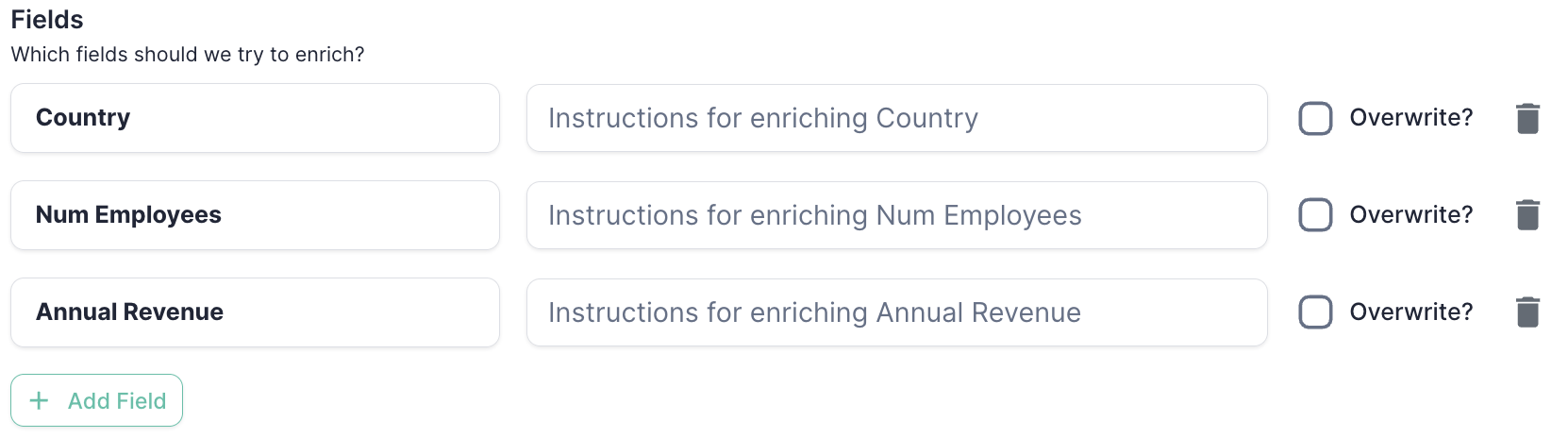
Overwrite Settings
Control whether to overwrite existing data:- Always overwrite - Replace existing data with enriched information
- Preserve existing data - Only fill empty fields
- Field-specific rules - Different handling per field type
When to Enrich
Always enrich: Process every lead regardless of data completeness Only when missing data: Skip leads that already have complete information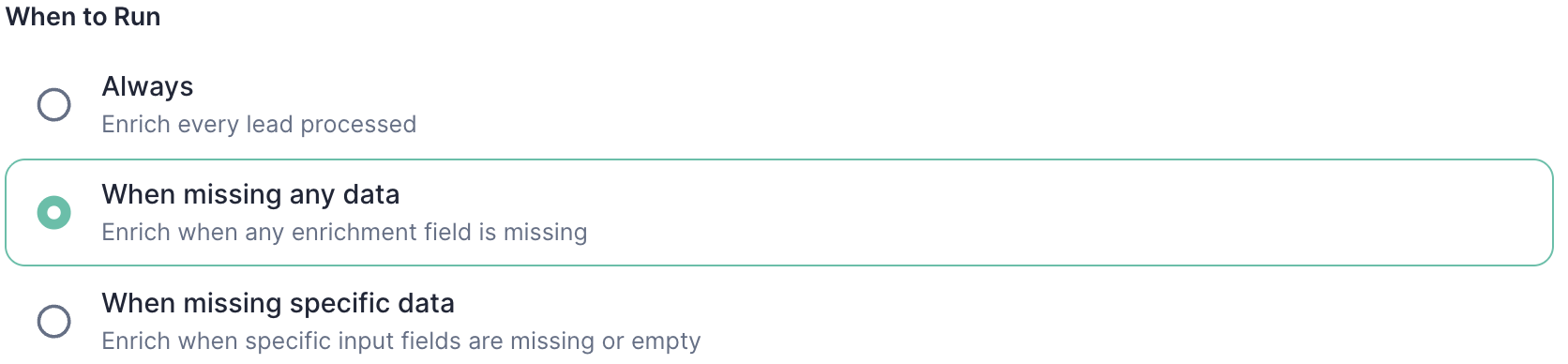
Data Element Preferences (Advanced Mode)
Professional Email Discovery:- Enable to find work email addresses
- Automatically replaces personal emails (Gmail, Hotmail, etc.)
- Uses specialized email finding providers
- Enable to find contact phone numbers
- Searches multiple providers for coverage
- Adds significant cost but improves contact rates
Custom Instructions
Provide specific guidance for the enrichment process:Best Practices
Cost Management
- Use basic mode for budget-conscious projects
- Enable phone/email discovery selectively based on campaign needs
- Set up sequential enrichment to balance cost and coverage
Data Quality
- Always include LinkedIn URL as a field - it’s a reliable unique identifier
- Use custom instructions to specify data quality requirements
- Set up validation rules for critical fields
Privacy Compliance
- Review data sources for compliance with regional regulations
- Configure consent tracking for enriched data where required
- Implement data retention policies for enriched information
Next Steps
- Set up your first enrichment: Create an enrichment profile in Settings
- Configure data providers: Connect your preferred third-party data sources
- Create enrichment workflows: Build multi-step enrichment processes
- Monitor performance: Track hit rates and data quality metrics