Overview
The Marketo sync back integration ensures that your processed list data flows seamlessly into your Marketo database with proper field mapping, lead creation, and program membership management.Prerequisites
- Marketo integration setup
- Completed setup and prerequisites
- Template structure defined
- Processing features selected
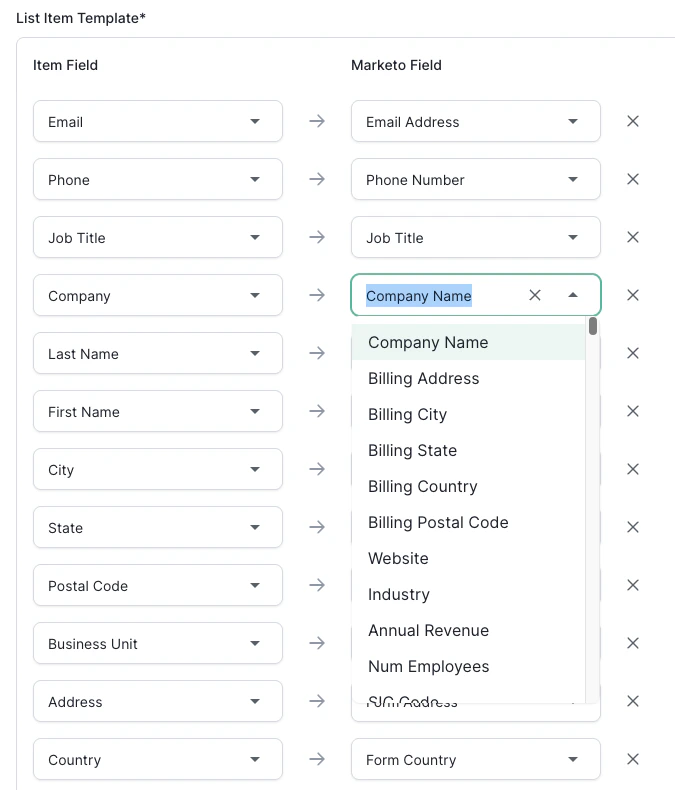
Configure Field Mapping
Standard Field Mapping:
Custom Field Mapping:
- Campaign source → Custom field: “Campaign_Source__c”
- Lead score → Custom field: “AI_Lead_Score__c”
- Processing date → Custom field: “List_Upload_Date__c”
- Data source → Custom field: “Data_Source__c”
- Job function → Custom field: “Job_Function_Standardized__c”