

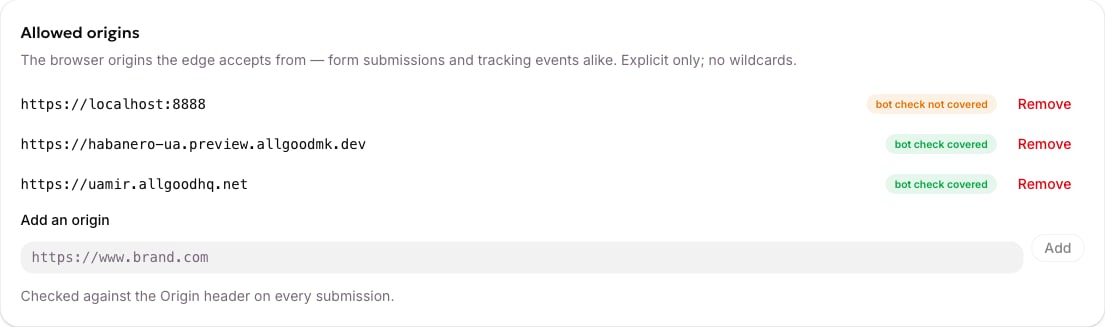
The Allowed origins card, listing each website allowed to capture and whether the bot check covers it.
What an origin looks like
An origin is scheme + host + optional port, and nothing else.
Matching is exact. There is no subdomain inheritance:
https://www.brand.com does not cover https://blog.brand.com, https://shop.brand.com, or the bare https://brand.com. Add every one you actually publish from.
Coming from Marketo, this is stricter than the Forms 2.0 domain whitelist. It’s a real browser-level check enforced at the network edge, not a soft one.
A typical list
Adding one
Type the origin into Add an origin and click Add. A Save button appears in the card header; nothing is in force until you save and the status chip reads Live at the edge. Every save is recorded in the change history at the bottom of the screen, with who changed what and when.What happens when an origin is missing
The browser’s own permission check is refused outright, with no explanation attached. From the page, that looks like a network error rather than a readable rejection — there’s no message in the response saying what went wrong. Because that’s so opaque, the allGood script does two things instead:- On load it asks allGood whether the page’s origin is authorised, using an endpoint that deliberately answers every origin so the answer is always readable.
- If it isn’t, it writes a warning to the browser console naming the exact origin and what to do about it.
The same-origin exception
A page allGood itself serves — a landing page onmk.brand.com — posts back to mk.brand.com. That’s the same origin, and it’s always accepted whether or not you’ve listed it.
This is why an account with an empty list appears to work perfectly for hosted landing pages, right up until someone puts a form on the real marketing site.
Bot-check coverage
If bot protection is on, each origin also shows whether the bot-check widget covers that hostname.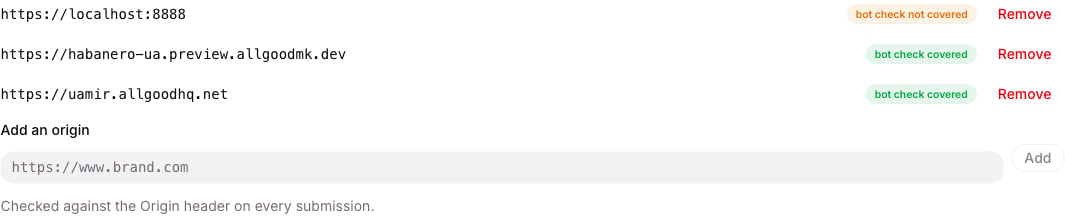
An origin the bot check does not cover, shown alongside origins it does.