

Unsubscribe runs one set of actions; one that lands in Left Company runs another.
Available action types
Forward Email
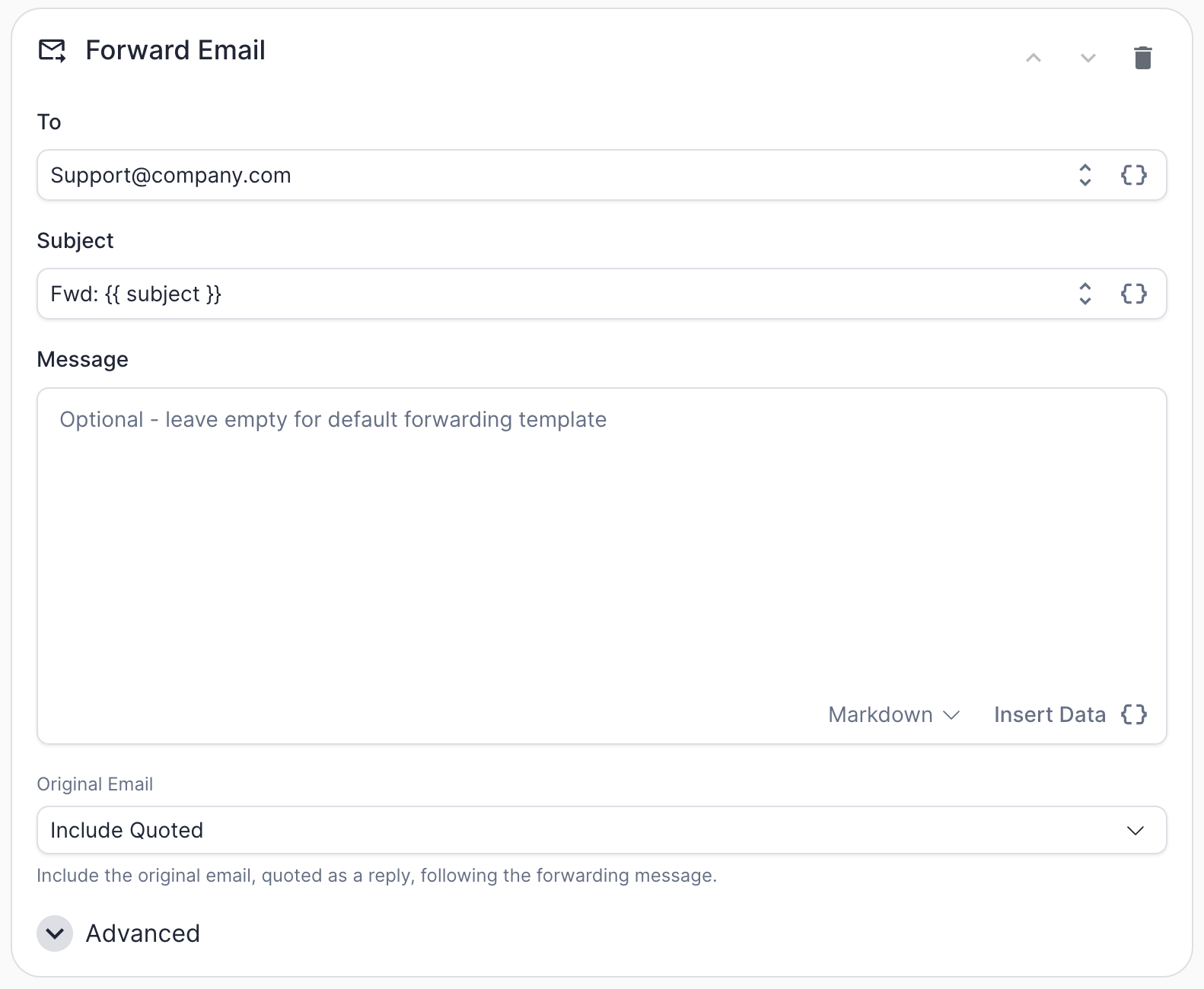
Forward Email action configuration
Human Request reply to your shared sales inbox, or looping a specific rep in on Out-Of-Office replies for accounts they own.
Forward Email is a generic action and works the same way regardless of which marketing automation platform you’re connected to.
The
Original Email dropdown controls what happens with the source message:
Under Advanced:
Add to Worksheet
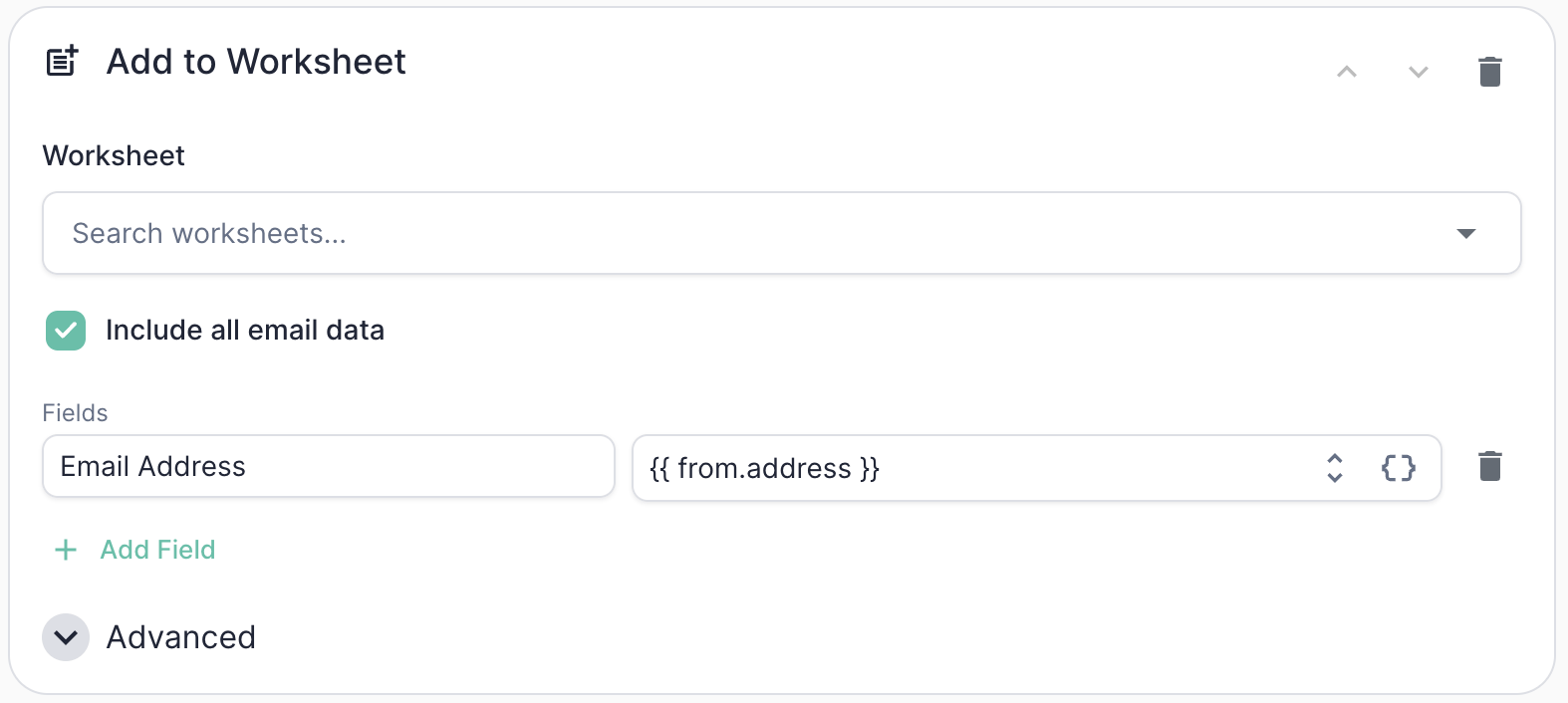
Add to Worksheet action configuration
Human Request sender to a follow-up worksheet that triages and routes them, or pushing extracted replacement contacts from Left Company replies into a new-lead worksheet.
Add to Worksheet is a generic action and works the same way regardless of which marketing automation platform you’re connected to.
Under Advanced:
Sync Contact to HubSpot
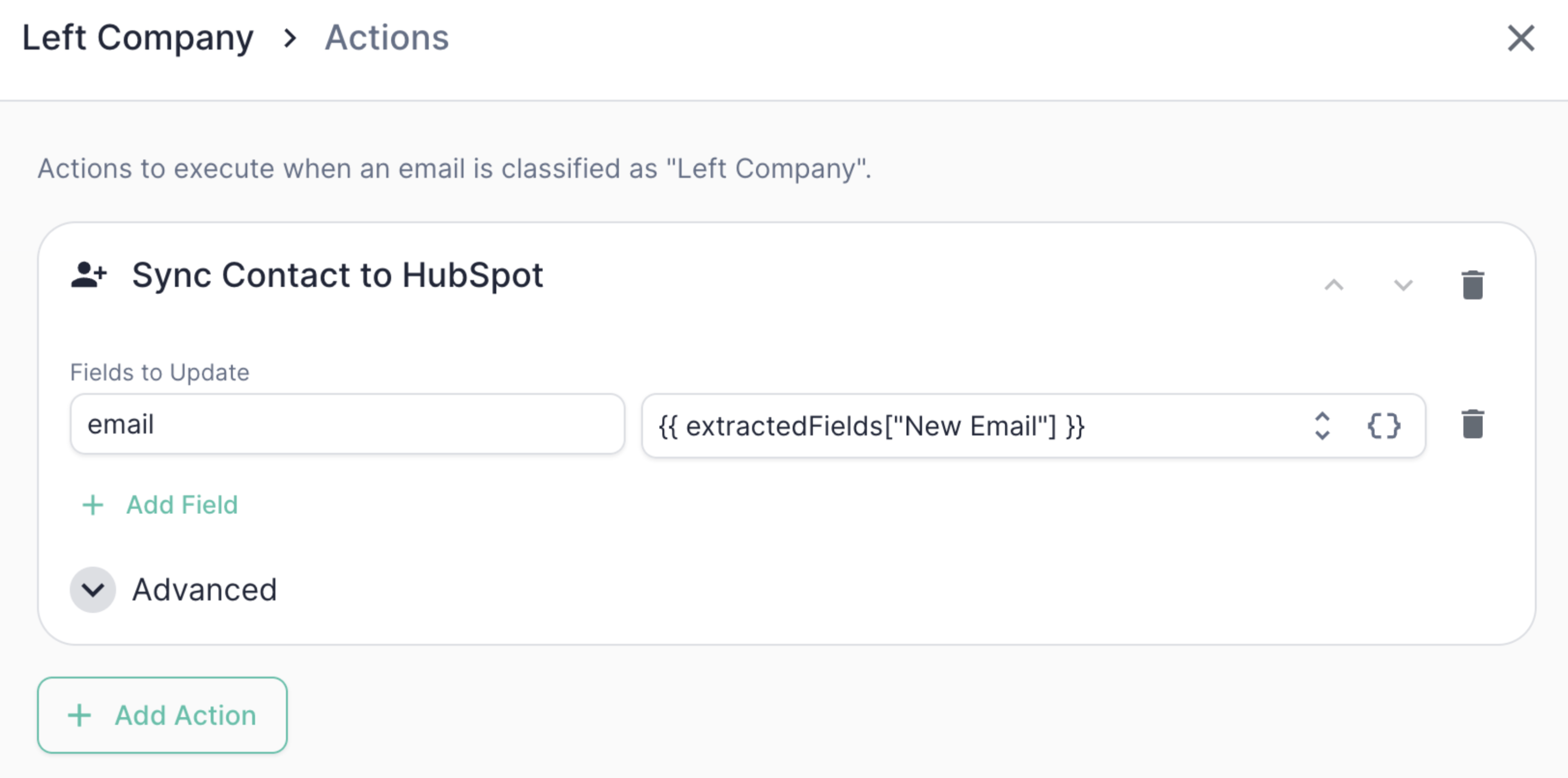
Sync Contact to HubSpot action configuration
- Static values — e.g.,
lifecyclestage = subscriber - Dynamic values — tokens that resolve at runtime from Mary’s classification or extracted data, e.g.,
hs_lead_status = [allGood] {{ classification }}
email property is always included automatically — it’s the lookup key.
You also choose a sync mode under the advanced tab:
Common tokens you can reference:
Add to HubSpot Static Segment
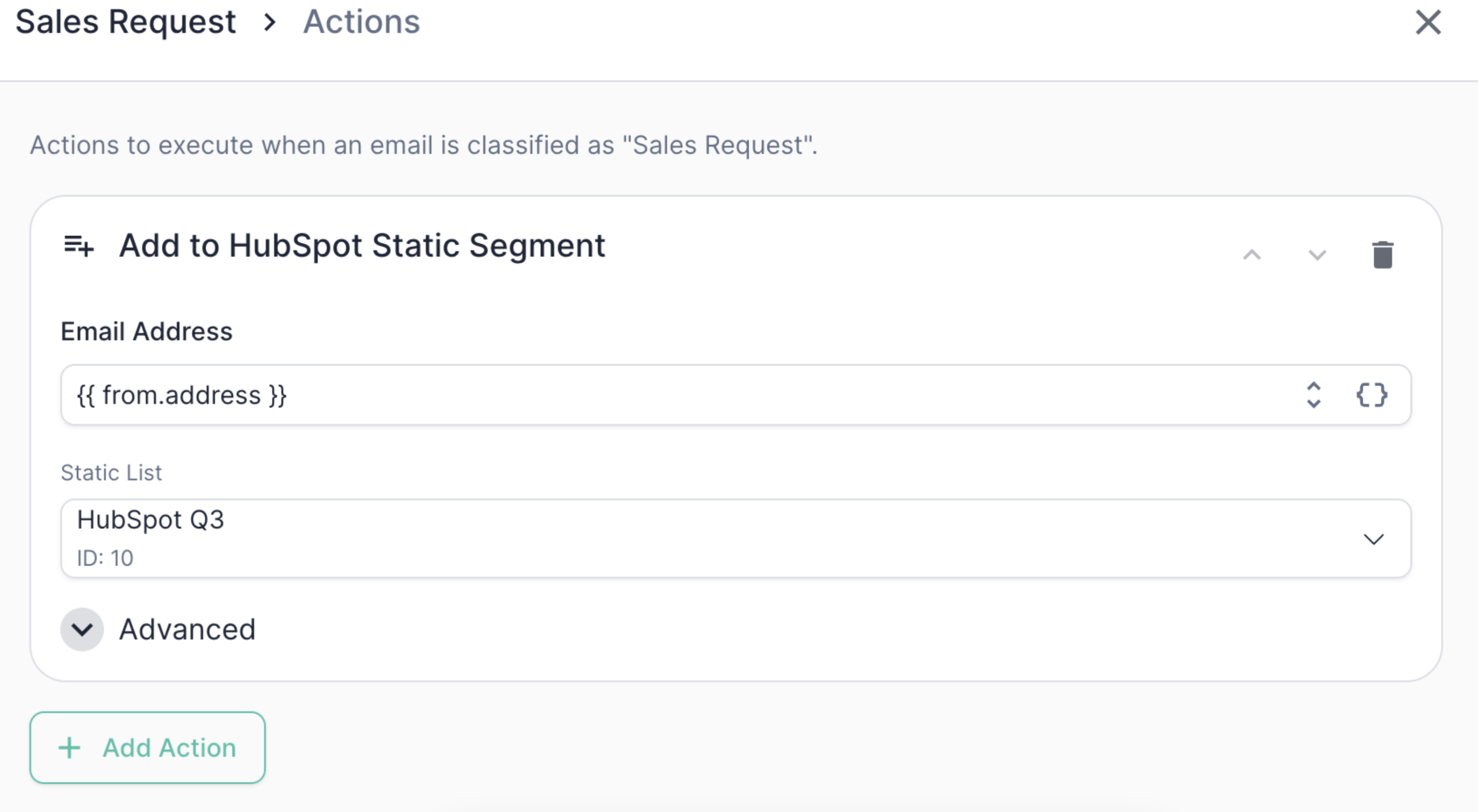
Add to HubSpot Static Segment action configuration
Unsubscribe in HubSpot
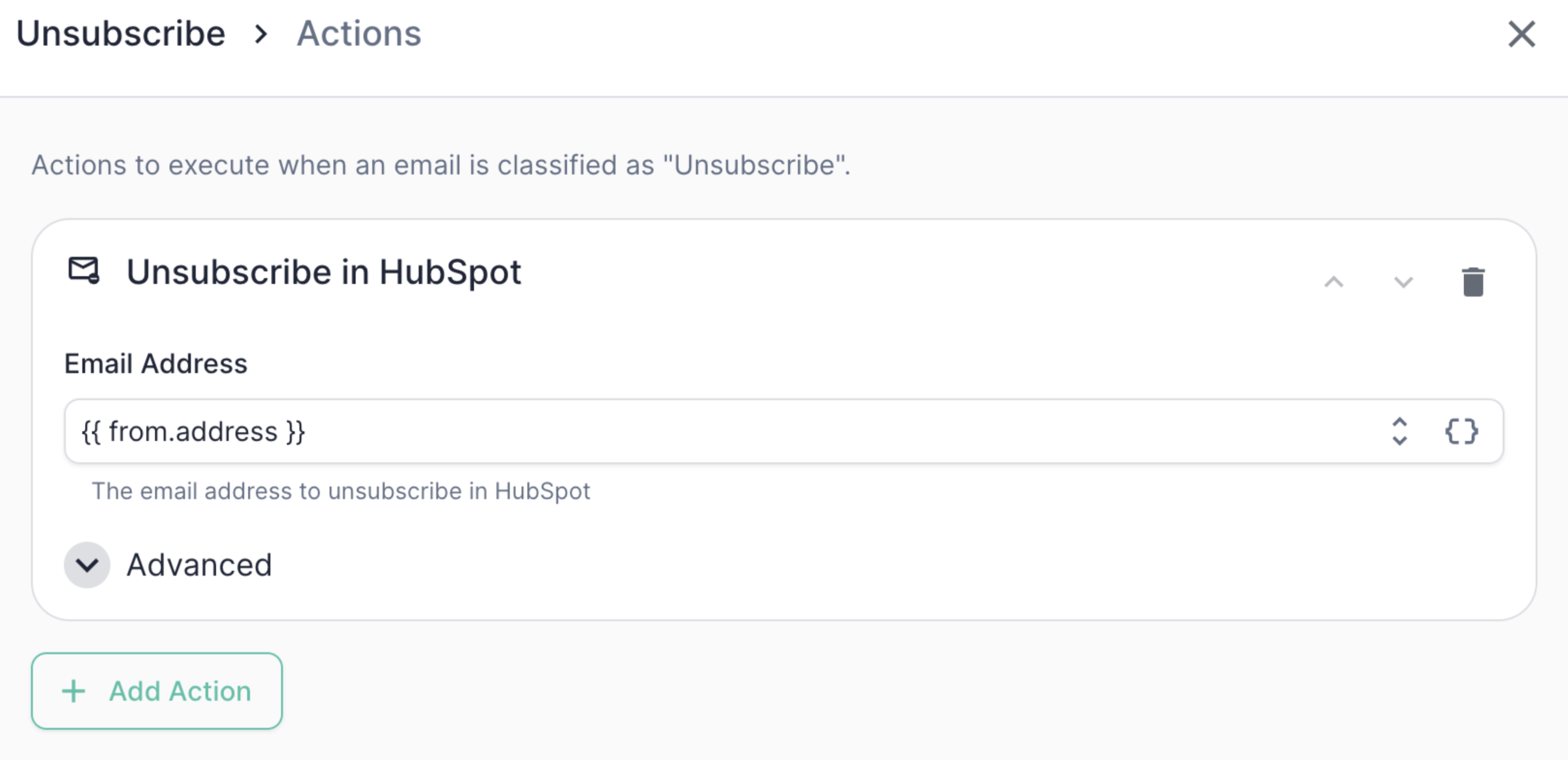
Unsubscribe in HubSpot action configuration
If the contact isn’t found in HubSpot, this action skips quietly by default.
You can flip this behavior with the skip if not found toggle if you’d
rather treat a missing contact as a hard error.
Example: Unsubscribe actions
.png?fit=max&auto=format&n=3Wfz0LICktQtlN8n&q=85&s=73c04dd216f8065d28d73825975fade8)
The full Unsubscribe action chain in the HubSpot category editor
Unsubscribe category would run:
1
Unsubscribe in HubSpot
Honor the opt-out using the Unsubscribe in Hubspot action so the suppression is respected everywhere
2
Sync Contact to HubSpot
Record the reason on the contact for the audit trail. Using
Create or Update mode also guarantees the contact exists before the later steps run.3
Add to HubSpot Static Segment
Drop the contact into the Mary-managed unsubscribe segment for downstream reporting and suppression.
{{ rationale }} token is particularly useful here — it gives your ops team a human-readable audit trail directly on the contact record explaining why Mary marked someone as unsubscribed.
Stacking and reordering actions
You can configure multiple actions per category, and they run in the order they’re listed. Use the up/down arrows on each action row to reorder them. Click + Add Action to add more. Order matters in two cases:- Dependent actions. If an
Add to Static Segmentdepends on the contact existing, putSync Contact to HubSpot(inCreate or Updatemode) first. - Field dependencies. If a later action references a field set by an earlier action, make sure the order reflects that dependency.
Conditional actions
Every action supports an only-if condition — a token expression that must evaluate totrue for the action to run. This lets you fan out behavior within a single category. For example, only add to a “Hot Leads” segment when an extracted intent field is high, while still running the rest of the chain for everyone.
Actions that look a contact up by email also expose a skip if not found toggle, which controls whether a missing contact is treated as a quiet skip or a hard error.
Best practices
- Use the
[allGood]prefix in audit fields. Following the example above (allgood_reason = [allGood] ...) makes it easy to see at a glance which records were touched by Mary versus a human or another system. - Use property internal names, not labels. The field map keys must be HubSpot’s internal property names (found in Settings → Properties), not the friendly labels shown elsewhere in the UI. A property name that doesn’t exist will fail at execution time.
- Prefer the native unsubscribe. For opt-outs, use Unsubscribe in HubSpot rather than just setting a property — it updates HubSpot’s subscription preferences so suppression is honored everywhere.
- Test the full chain, not just the classification. The Test Suite validates categorization and extraction; once those pass, sanity-check the actions in a sandbox HubSpot instance before going live.
- Watch the order when adding to segments. Most static-segment add failures we see are contacts that didn’t exist yet. Lead with a Sync Contact to HubSpot in
Create or Updatemode to be safe.