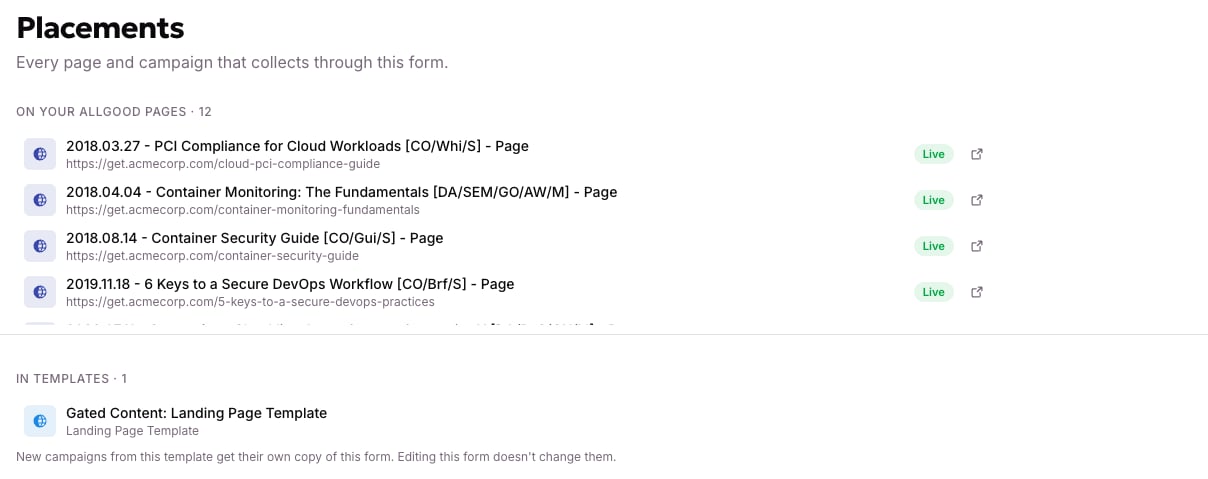
One form can sit on many pages, so check where yours is used before you edit its fields. Your change reaches every placement at once. Open the form and select the Placements tab. It lists everywhere the form is used, grouped under pages, campaigns, and templates, each with a Live or Draft status. A template counts as one placement of its own. To learn when a template shares your form and when it creates a new one for each page, see What a form is.
Every page, campaign, and template using this form, grouped and status-tagged

Every page, campaign, and template using this form, grouped and status-tagged.
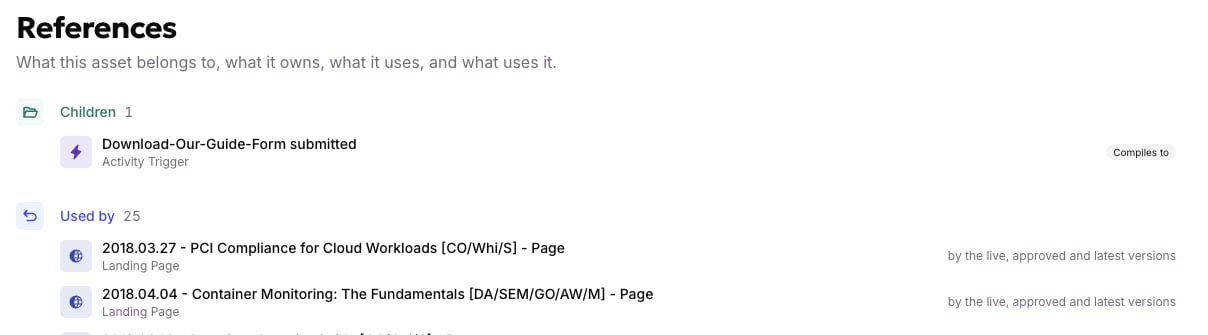
Select the References tab to see the same usage as one flat “Used by” list. It also shows which version (live, published, or latest) each reference points to. Under Children, you can see what the form itself created, usually the Activity Trigger that fires when someone submits.
The same usage as a flat list, with the Activity Trigger the form created under Children

The same usage as a flat list, with the Activity Trigger the form created under Children.

When you edit a form’s fields, every placement listed here changes at once. You can’t update one placement without the rest.