

Every response says which one answered, so a submission that didn’t arrive has a reason you can look up rather than a mystery. A form’s Test section lists every one of these, resolved to the value that actually applies to it, not the generic setting.
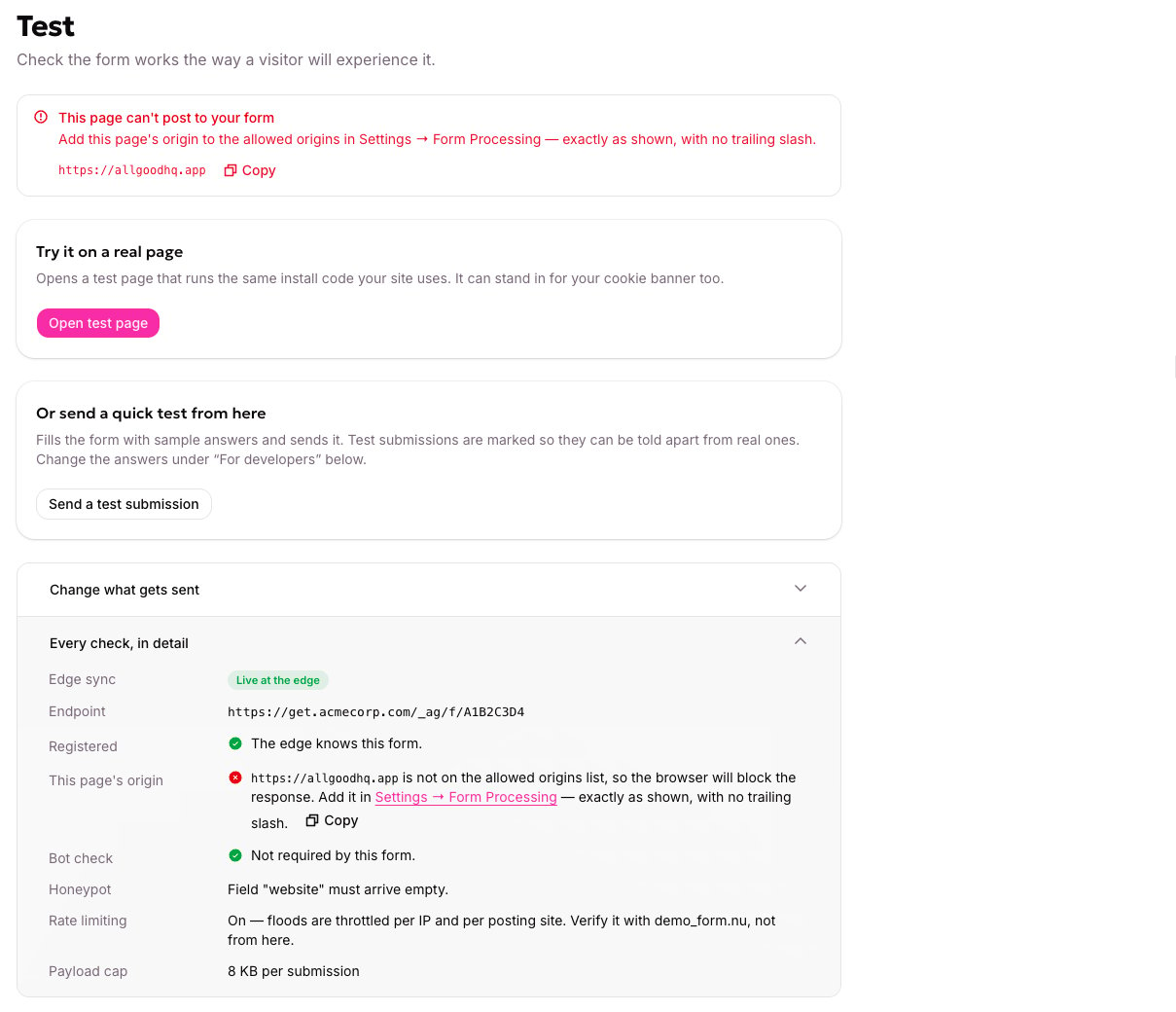
Every check a form's Test section lists, resolved to this form's actual values.
The submitter’s IP address is read to throttle abuse and is never written to storage. There’s no retention window to configure and nothing to erase on request.
A form’s technical details
A form’s Settings tab shows its capture endpoint, Form ID, content type, serving domain, and whether it’s registered. It’s not where allowed origins or spam rules live — those are account-wide. Allowed origins and the bot check are account-wide Web Edge settings — see bot protection if submissions aren’t behaving as expected. Consent is a named, reusable consent text your account manages, which a form binds to — see consent provider setup if consent isn’t recording as expected.For developers
What the website needs
The two things to hand over: the form’s short id, and confirmation it is registered.
Allowed origins
The technical detail behind the setting above — how origin matching actually works.