

Register a page
Ask Mary to register your page. Give her the page’s full address, starting withhttps://, a title, and a short description of what the page is. She saves it, and it appears in Content with the other pages.
The page’s Summary shows its title, its address, and an Open button that opens the address. The panel on the right lists its versions and has a Publish button.
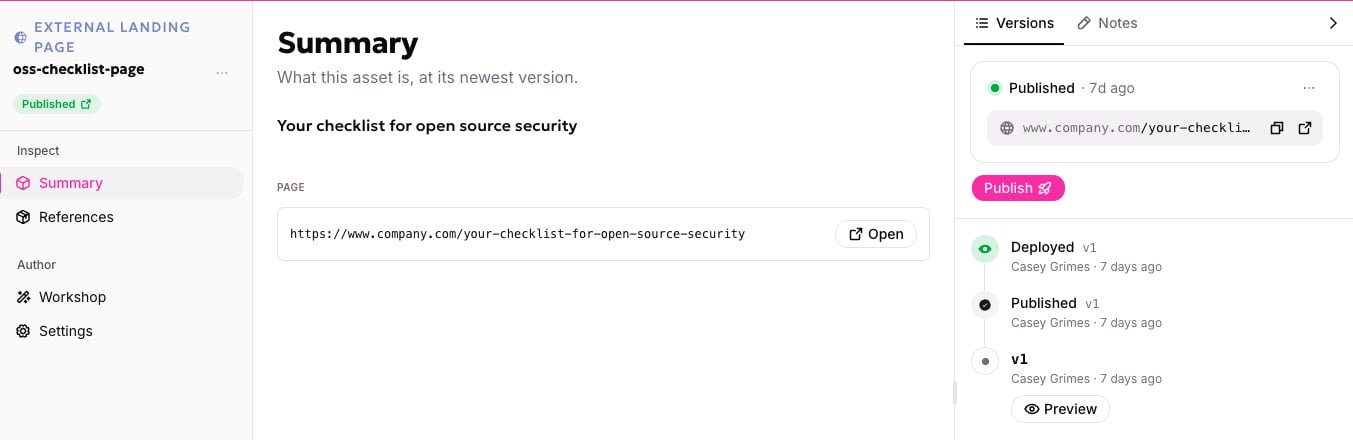
An external landing page shows its address and an Open button
What allGood does with it
- Other assets can point at it. An email, motion or page that uses the registered page links to its address.
- Changing the address moves every link. If you register a new address for the page and publish it, everything pointing at the page now uses the new address.
- It’s live already. Publishing it doesn’t put anything online. It only decides which address is in use.
What allGood can’t do
- It can’t change the page. The words, design and form on the page are managed on your own site.
- Retiring it doesn’t take the page down. Taking it out of allGood only ends allGood’s use of the address. The page stays up on your site until you remove it there.
- Forms still need to be connected. A form on your own site needs allGood’s install code to capture submissions. See Adding a form to a page.