

Campaign iteration allows you to continuously improve your nurture programs based on performance data. Rather than building campaigns from scratch each time, you can clone and refine existing programs to boost engagement, open rates, and deliverability.
Overview
Mary’s Campaign Builder supports iterative development for nurture campaigns, enabling you to:- Test new messaging variations without disrupting live campaigns
- Optimize underperforming emails based on engagement metrics
- Implement A/B test learnings at scale
- Maintain version history across campaign iterations
When to Iterate
Consider iterating on your nurture campaigns when:| Scenario | Description |
|---|---|
| Performance Issues | Open rates, click-through rates, or conversion metrics are below benchmarks |
| Deliverability Concerns | Spam rates increasing or inbox placement declining |
| Content Refresh | Updating messaging, imagery, or CTAs based on new campaigns or brand guidelines |
| A/B Test Winners | Applying successful test variations to your full nurture series |
Iteration Workflow
Build your initial nurture campaign
Start by creating your baseline nurture campaign with Mary using the standard campaign creation process:
- Submit your campaign brief
- Let Mary build all email programs and assets
- Review and approve
- Deploy to production
Analyze performance and identify improvements
Review your nurture campaign metrics to identify opportunities:
- Which emails have low open rates?
- Where are prospects dropping off in the sequence?
- Which subject lines or CTAs are underperforming?
- Are specific emails triggering spam flags?
Update your briefing document with version 2 content
Add new sections to your existing campaign brief for the emails you want to improve.Naming convention: Use version numbers to track iterations clearly:
Example: 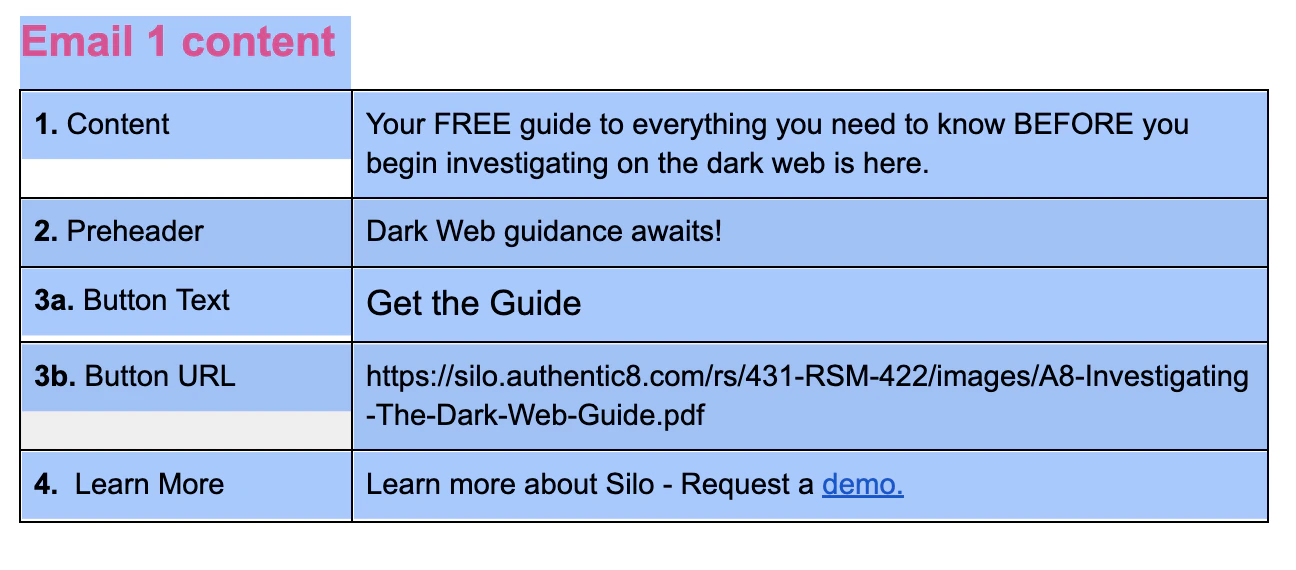
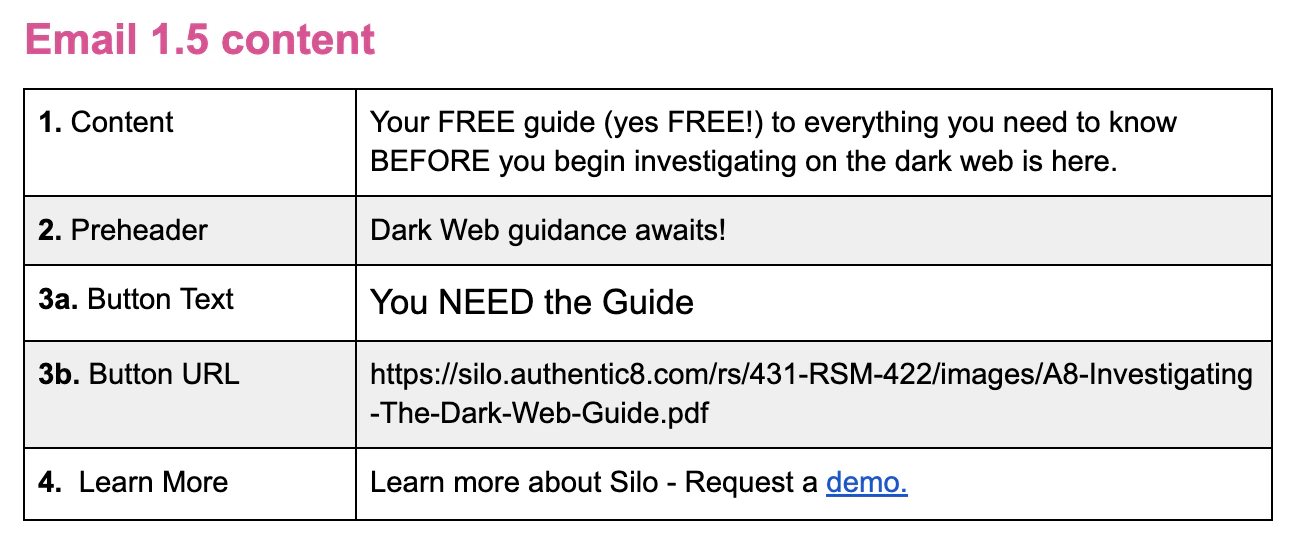
| Original | Iteration |
|---|---|
| Email 1 | Email 1.5 |
| Email 3 | Email 3.5 |
| Email 7 | Email 7.5 |
Clone the email programs you want to iterate on
In your Asana task (or directly in the allGood platform), tell Mary which programs to clone:Mary will:
We currently only support one email clone request at a time. We are working on supporting multiple email clones in a single request.
- Create duplicate programs within your parent program in Marketo with the new naming
- Preserve all settings, tokens, and configurations
- Set the new programs to Draft status
- Maintain the connection to your campaign in allGood
Apply your updated content
Once Mary confirms the cloning is complete, provide the updated brief:Mary will:
- Extract the version 2 content from your brief
- Apply updates to the cloned programs
- Update tokens, subject lines, and body copy
- Swap any new images or assets
Review and test your iterations
Just like with new campaigns, Mary automatically provides test emails for review.What to verify:
- Content changes applied correctly
- Images and links working properly
- Formatting matches your expectations
- Tokens populating with correct values
Deploy iterations and measure results
When ready, approve your iterations for deployment:Deployment strategies:
| Strategy | Description |
|---|---|
| A/B split test | Run original and iteration versions simultaneously to different segments |
| Sequential replacement | Pause original versions and activate iterations for all new entrants |
| Controlled rollout | Deploy to a small segment first, then expand based on results |
Best Practices for Campaign Iteration
1. Use Clear Version Numbering
1. Use Clear Version Numbering
Establish a consistent versioning scheme across your team:
- Major versions (1.0, 2.0, 3.0): Complete campaign overhauls
- Minor versions (1.5, 1.7, 1.9): Individual email optimizations
- Patch versions (1.5.1, 1.5.2): Quick fixes or minor tweaks
2. Keep Original Versions Accessible
2. Keep Original Versions Accessible
Never delete your original email programs. They provide:
- Historical performance data for comparison
- Rollback capability if iterations underperform
- Reference material for future campaign builds
Getting Help & Support
If you encounter issues during campaign iteration:- Ask Mary directly: “Why didn’t the cloned program get my updated content?”
- Check the event log: “Show me all events for email program 1.5”
- Review validation errors: Mary provides specific error messages when updates fail
- Contact support: For platform issues, reach out with your campaign ID and iteration details