

Prerequisites
Before beginning, ensure you have completed the following:- Email Builder setup has been successfully configured
- A valid Campaign Brief has been prepared (refer to “Preparing the Campaign Brief” guide)
- Program Name and campaign details are finalized and ready for implementation
- Asana integration is successfully configured allGood-Asana Setup guide
Step-by-Step Process
Create and Configure the Asana Task
-
Attach Campaign Brief File
- Navigate to your Asana task
- Upload your prepared campaign brief document as an attachment
- Ensure the file is properly formatted and contains all required campaign details
-
Add Mary as Collaborator
- In the task settings, add Mary to the collaborators list
- This action triggers Mary to begin processing your campaign request
- Important: Mary must be added as a collaborator AFTER the campaign brief is attached
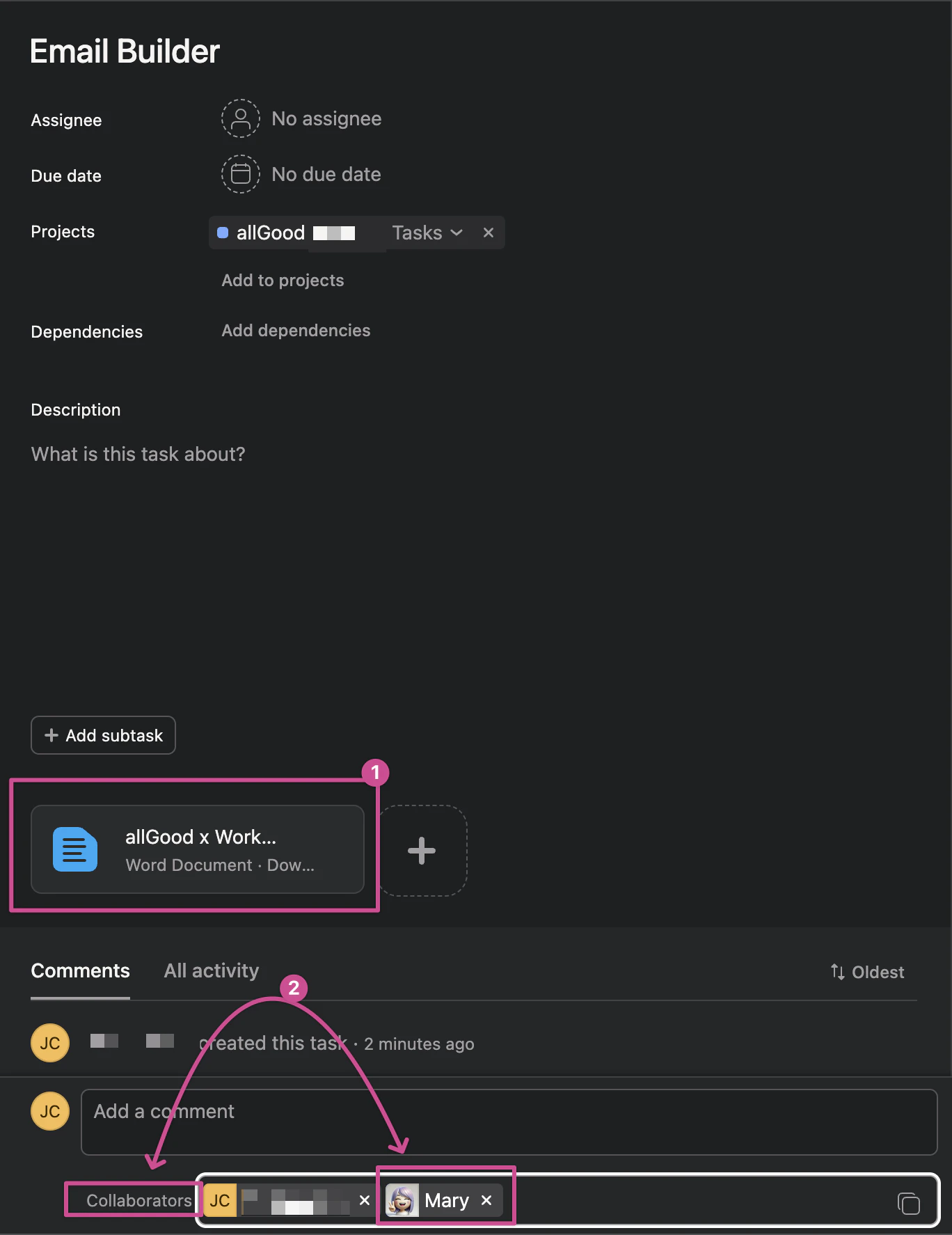
Asana task interface with file attachment and collaborator assignment options
Monitor Mary's Initial Response and Processing
- Mary will post an initial comment in the Asana task
- A link will be provided in the comment directing you to the campaign worksheet
- The worksheet name will automatically match your Asana task name for easy reference
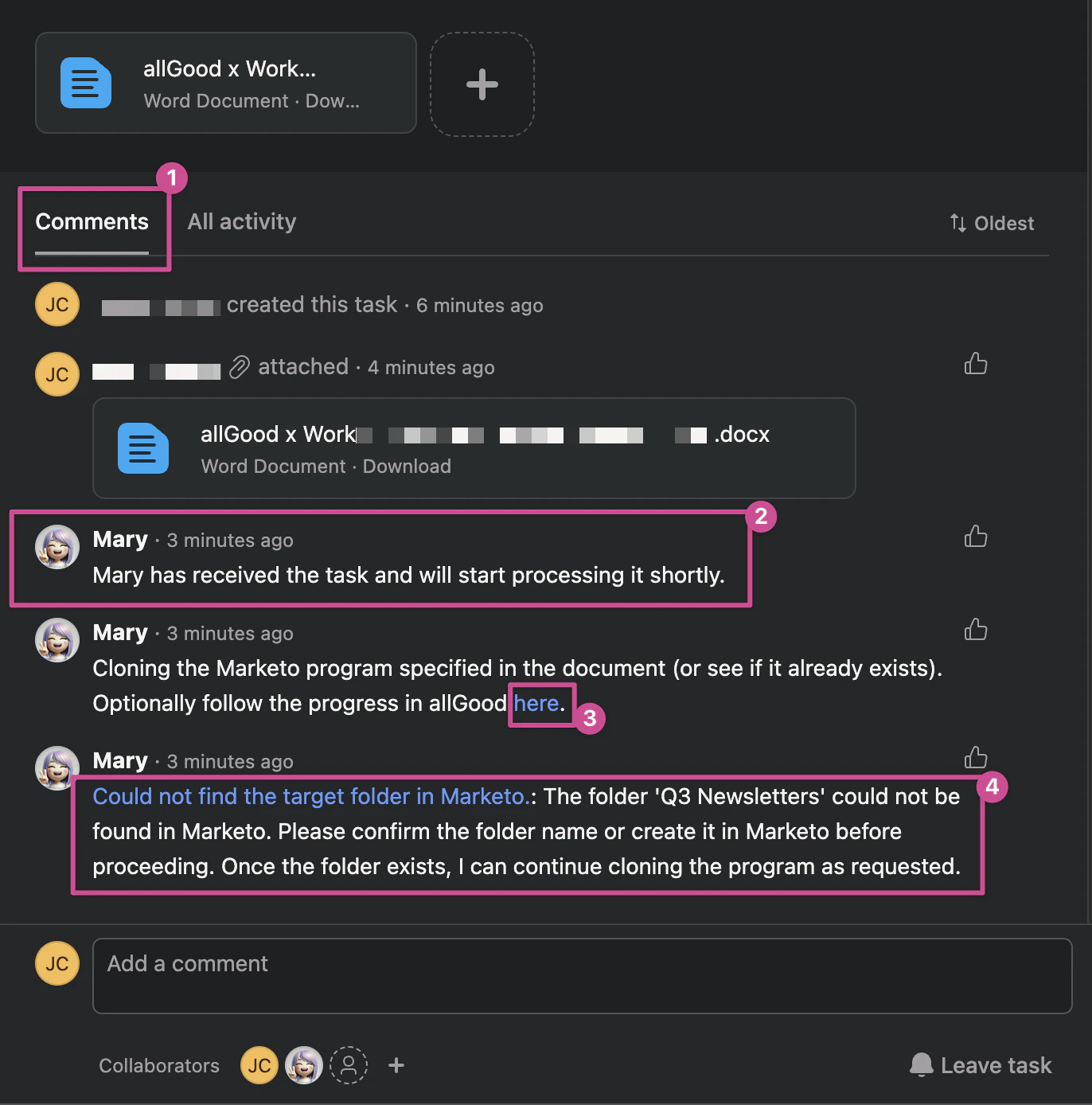
Asana task comment from Mary with processing confirmation and worksheet link
Respond to Mary's Requests
-
Provide Detailed Responses with “@Mary” mention.
- Use “@Mary” mention in Asana comments
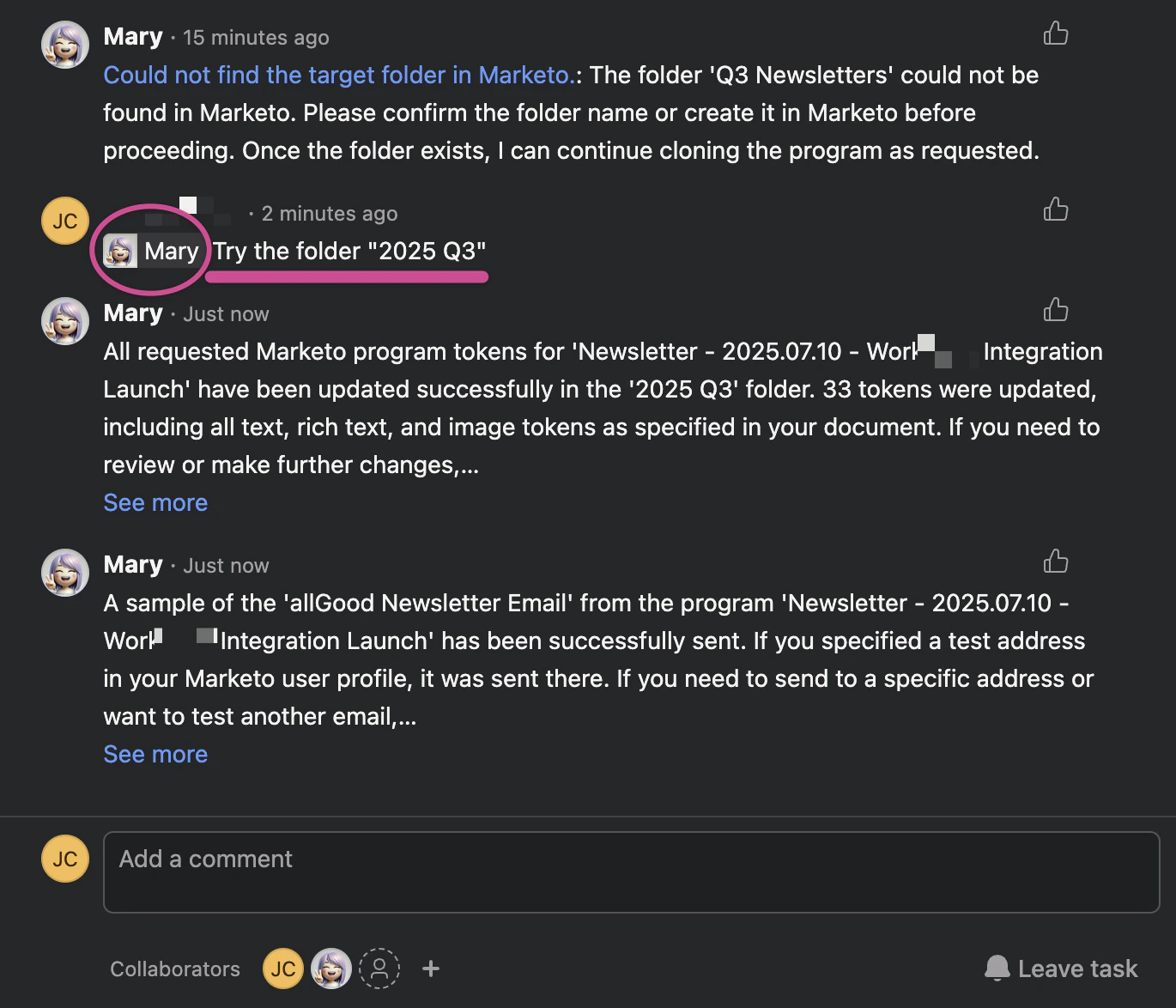
Asana comment interface with @Mary mention and response example
Review sample emails
- Sometimes the preview email is delayed for a few minutes.
- In some instances, the email could be marked as spam. Check your spam folder.
- You can also comment “@Mary send sample emails to <youremail@company.com>”
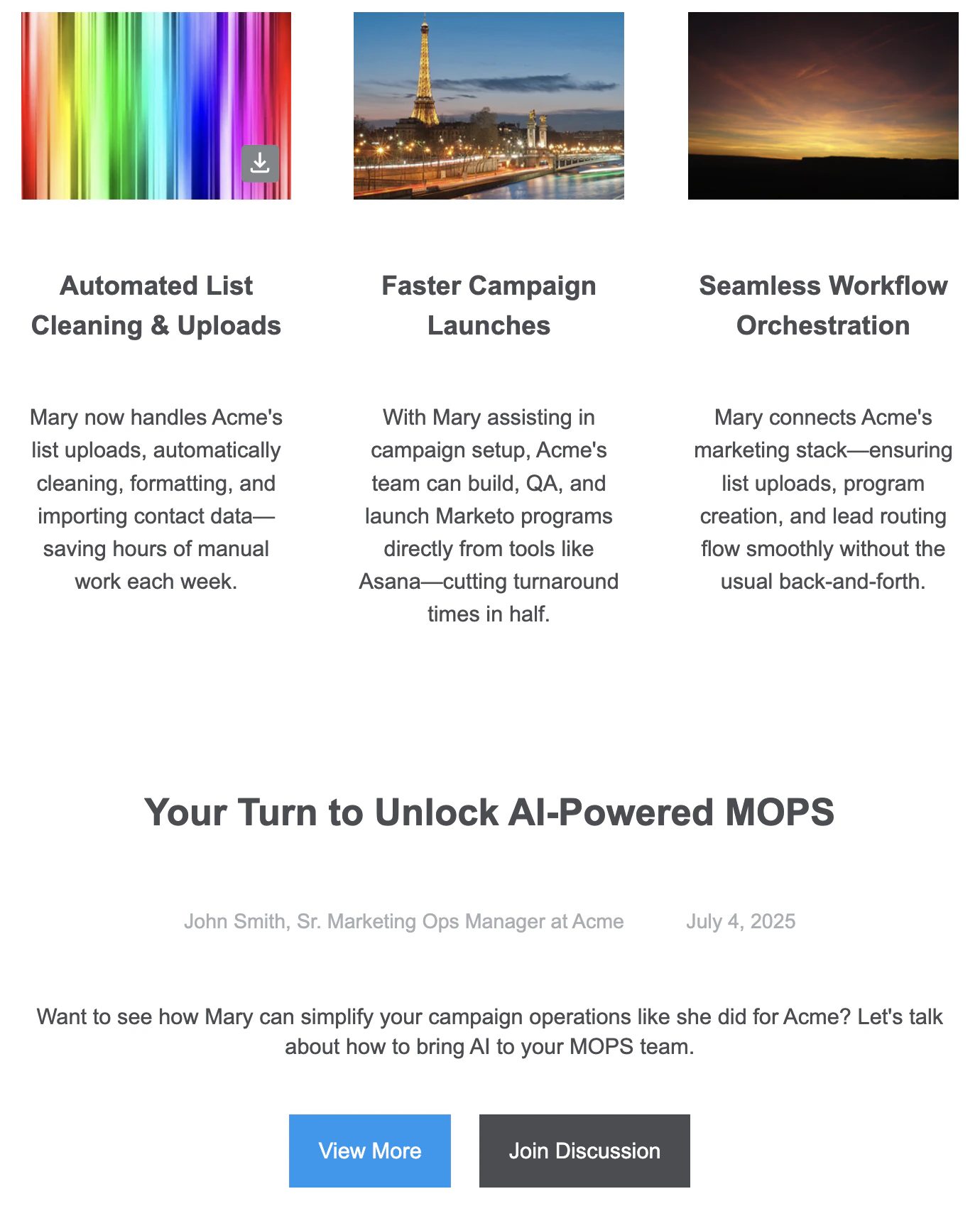
Verify email sent to your email address
Campaign Completion and Delivery
-
Review Final Output
- Mary will confirm completion in both Asana and allGood platforms
- All completed tasks will be clearly marked with completion status
- A distinctive logo indicates messages originating from Asana
-
Access Your Campaign
- A direct link to your newly created email program in Marketo will be provided
- The worksheet will inherit the name of the new email program
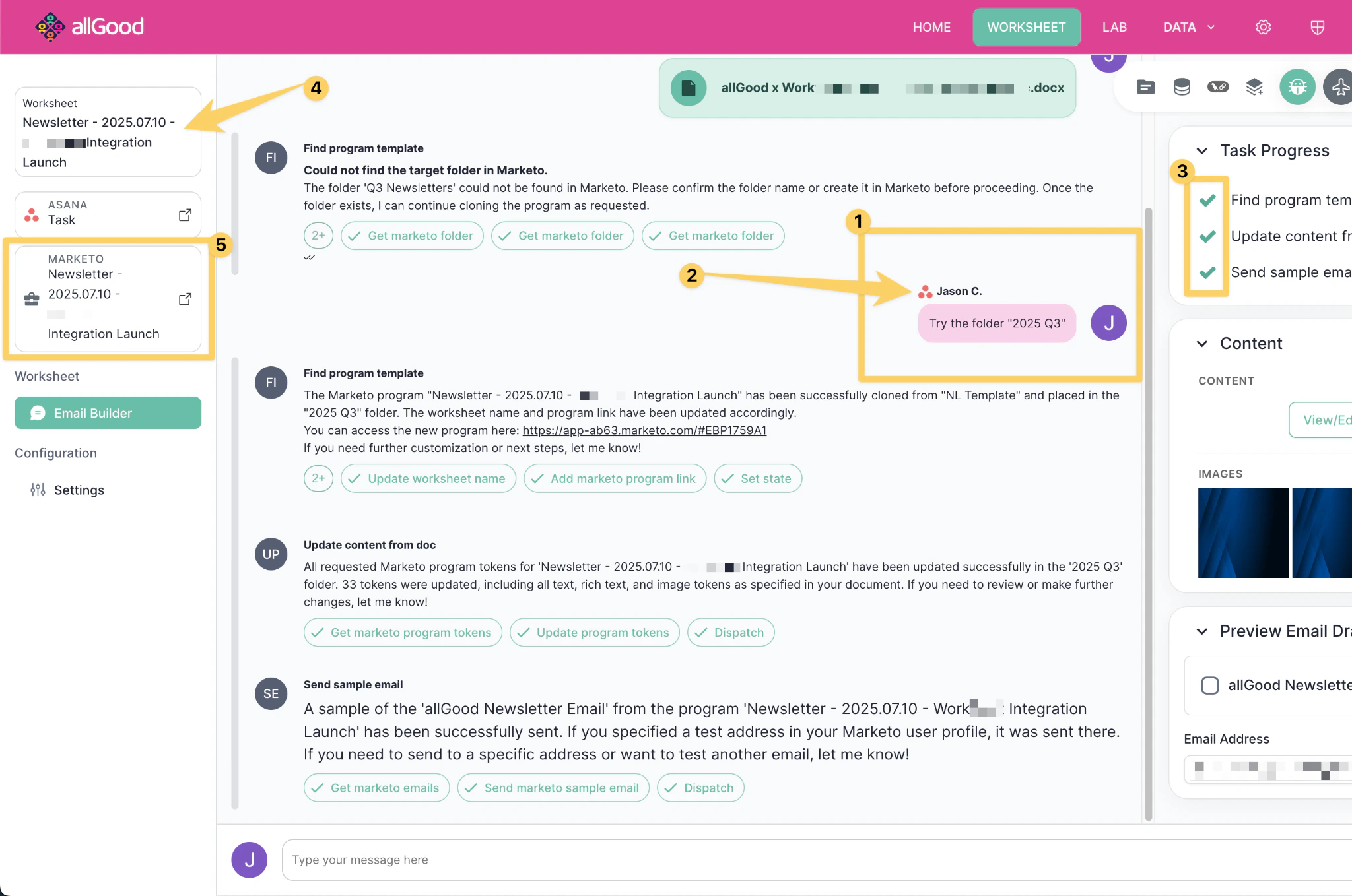
allGood completion interface with Marketo program link and task status indicators
Best Practices
File Management
- Always attach campaign briefs before adding Mary as a collaborator
- Use clear, descriptive file names for easy identification
- Ensure campaign briefs are complete and properly formatted
Communication
- Be specific and detailed in your responses to minimize revision cycles
- Use @Mary mentions in Asana for all communication directed to the system
- Monitor both Asana and allGood platforms for updates and requests
Organization
- Maintain consistent task naming conventions for easy tracking
- Keep all campaign-related communications within the designated task
- Regularly check completion status and follow provided links for final deliverables
Support
For additional assistance or technical issues, refer to the comprehensive documentation library or contact the support team through the allGood platform.Frequently Asked Questions
Can multiple team members communicate with Mary within the same Asana task?
Can multiple team members communicate with Mary within the same Asana task?
Can I assign Mary directly to the task instead of adding as a collaborator?
Can I assign Mary directly to the task instead of adding as a collaborator?
What happens if I attach the campaign brief after adding Mary as a collaborator?
What happens if I attach the campaign brief after adding Mary as a collaborator?
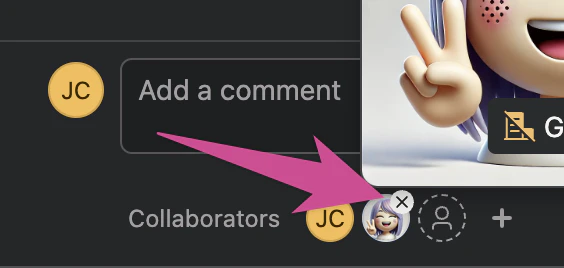
Button to remove Mary as a collaborator, in order to re-add her
How can I track all campaign communications and progress?
How can I track all campaign communications and progress?
How many revisions or adjustments can I request during the campaign creation process?
How many revisions or adjustments can I request during the campaign creation process?