

Configuring the action
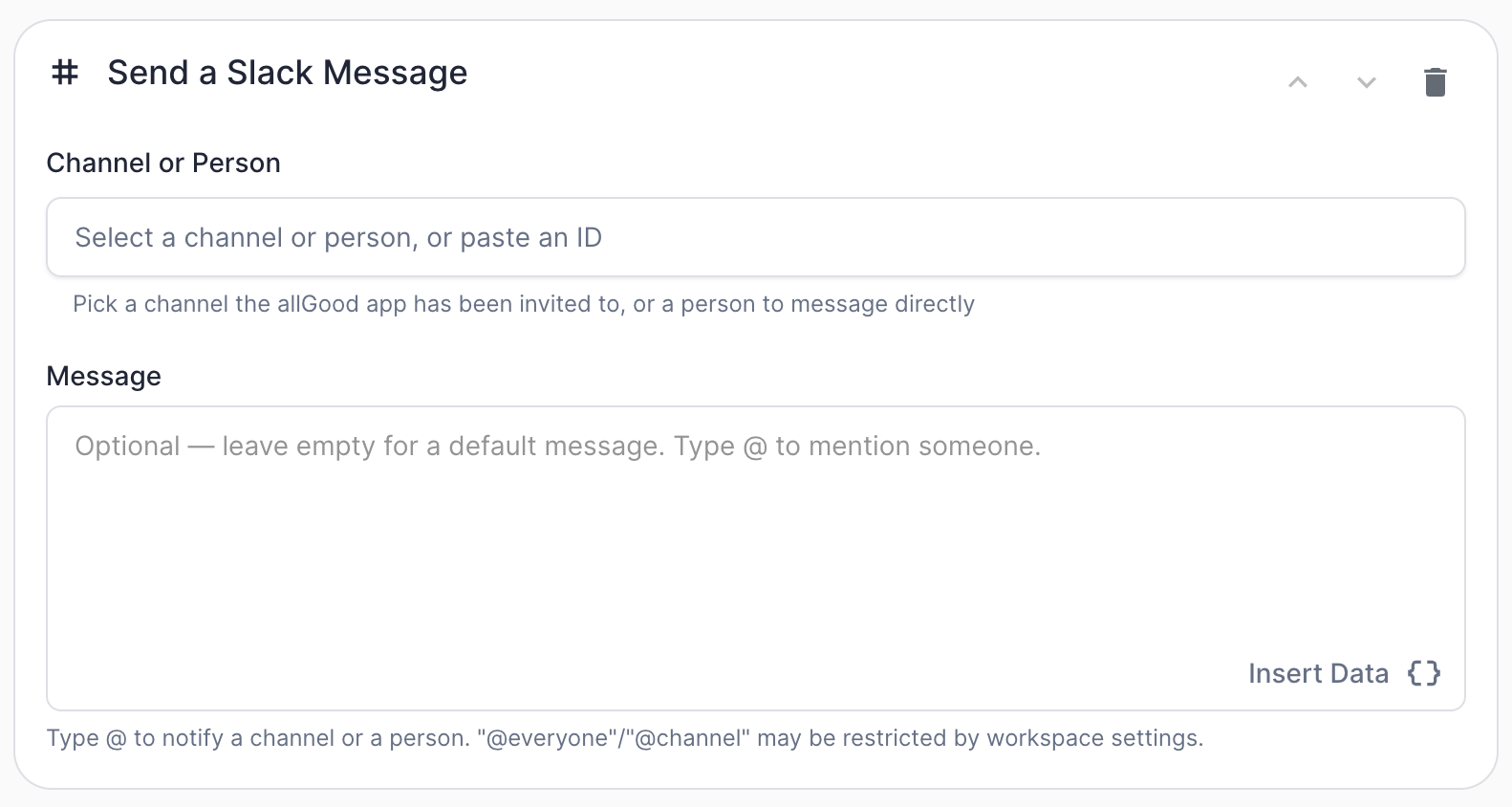
Send a Slack Message action configuration
Choosing a destination: channel or direct message
TheChannel or Person field is a single picker that offers both:
- Channels — any channel the allGood Slack app has already been invited to. If a channel you want isn’t showing up in the list, invite the app to it first (in Slack, open the channel and
/invite @allGoodor add it via the channel’s Integrations tab), then it’ll appear in the picker. - People — any active member of your connected Slack workspace. Picking a person sends them a direct message — no invite or setup needed on Slack’s side. Bots and deactivated accounts are filtered out of the list automatically.
Sending a direct message relies on the receiving workspace allowing apps to DM
their members. This is enabled by default, but if a workspace admin has
restricted it, the action will fail with an error explaining that Slack
couldn’t deliver to that person — nothing on the allGood side needs to change
in that case.
@ Mentions
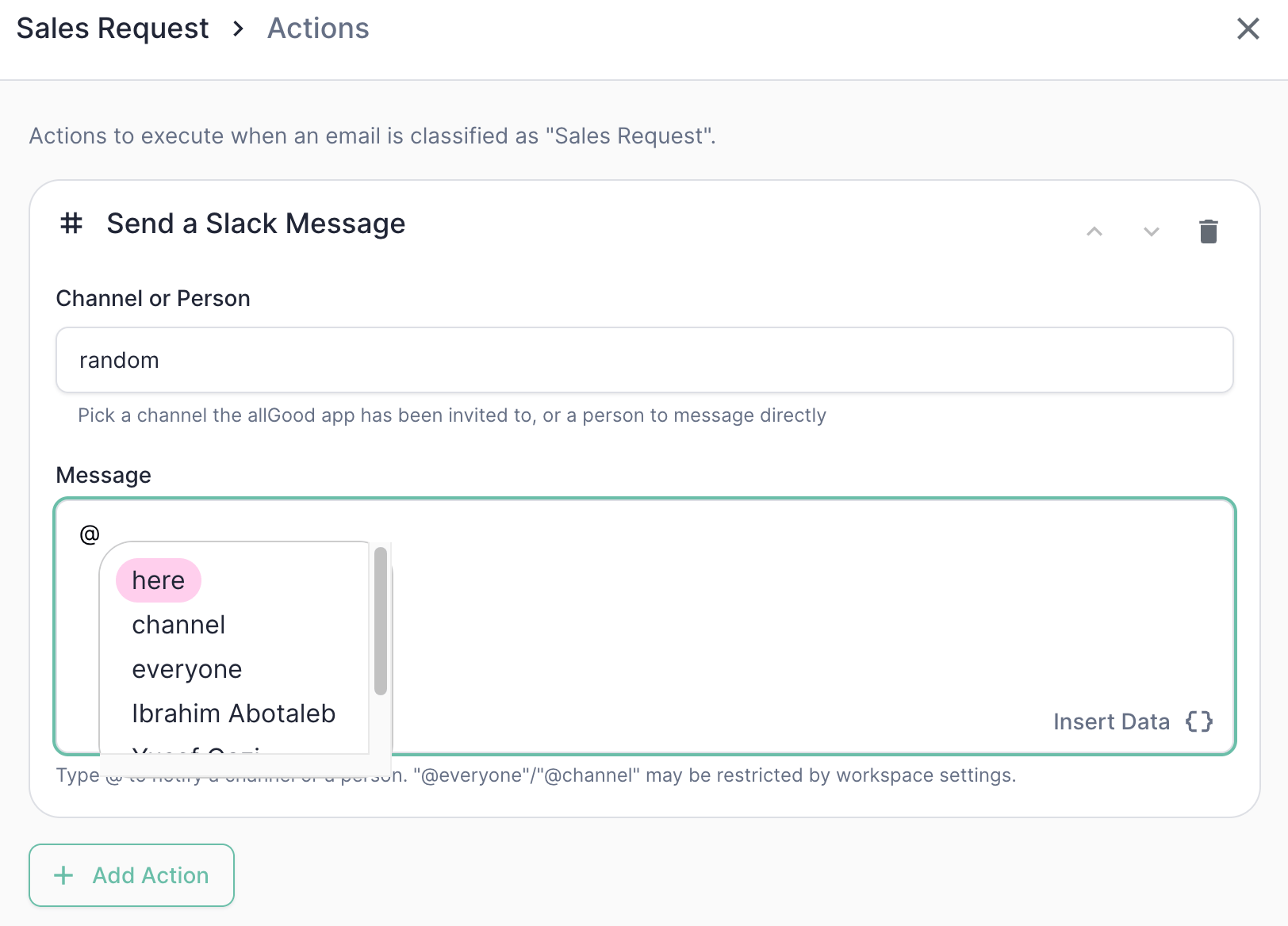
Typing @ in the Message field opens an autocomplete for broadcasts and people
The default message
If you leave Message empty, Mary sends a default message built from the reply itself:Sales Request reply might produce:
Tokens (Insert Data)
Like other action message fields, you can insert tokens via the Insert Data button — the same field data available to other actions, including extracted fields:
Tokens and @ mentions can be combined freely in the same message — e.g.,
<!here> New lead from {{ from.address }} — {{ rationale }}.
Example: Sales Request notification
1
Configure the action
On the
Sales Request category, add a Send a Slack Message action.2
Optionally, also notify the account owner directly
Add a second Send a Slack Message action on the same category to also DM a specific person — useful when a category needs both a team-wide heads-up and a direct nudge to whoever owns the account.
only if) behavior in the general Marketo Actions documentation, which apply here the same way they do to Marketo and Forward Email actions.
Best practices
- Invite the bot before you need it. A channel that isn’t in the picker almost always means the allGood Slack app hasn’t been invited to it yet — invite it in Slack, then it’ll show up.
- Use
@hereover@channel/@everyoneby default.@hereonly pings people currently active, which is usually what you want for a “heads up, new reply” notification — save the broader broadcasts for things that genuinely need everyone’s attention. - DM for individual accountability, post to a channel for team visibility. If a specific person needs to act, a direct message (or an
@mentioninside a channel post) is more likely to get noticed than a channel post alone. - Keep messages short. Slack messages are meant to be skimmed — put the detail Mary extracted in
{{ rationale }}or a linked worksheet item rather than pasting the entire original email.